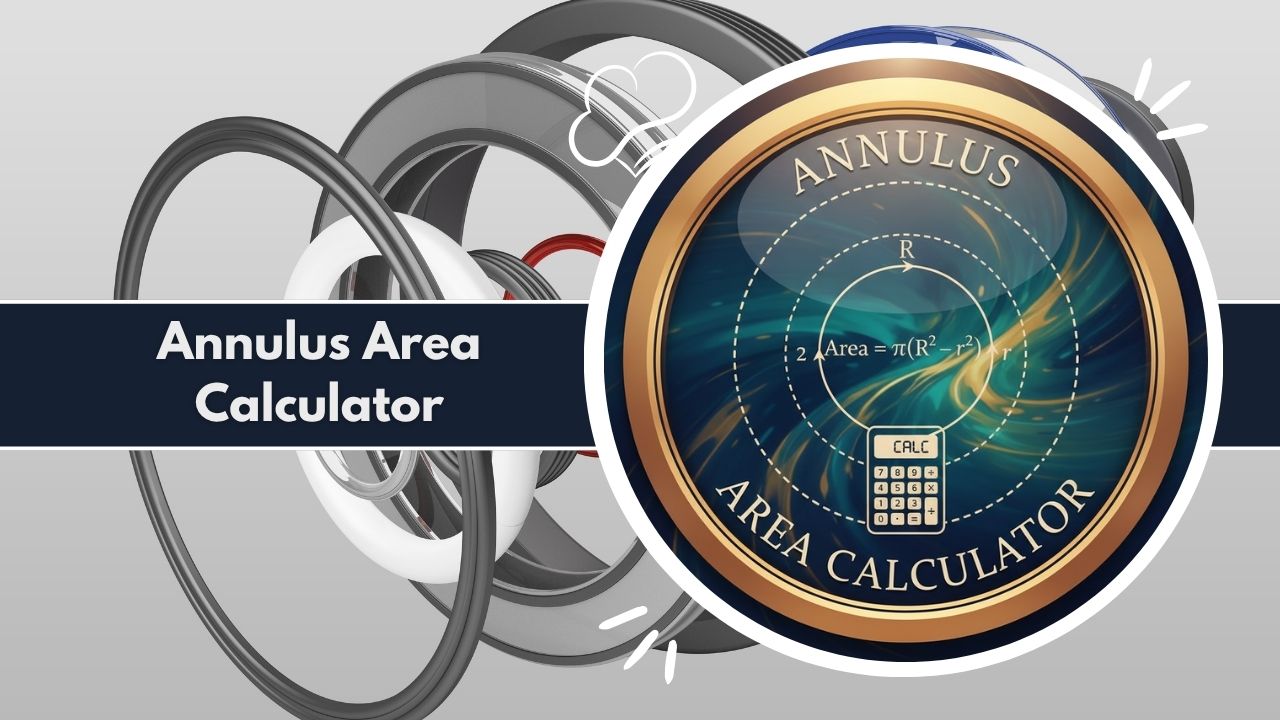
Easily find the area of a ring with our advanced Annulus Area Calculator. This tool instantly calculates the area between two circles. Get detailed breakdowns and formulas.
Calculate the area of an annulus (ring) and see a detailed breakdown of its properties, including the inner and outer circles.
Total Annulus Area
Area Visualization
Outer Circle (R)
- Radius (R) 10.0000
- Diameter (2R) 20.0000
- Circumference 62.8319
- Area (πR²) 314.1593
Inner Circle (r)
- Radius (r) 5.0000
- Diameter (2r) 10.0000
- Circumference 31.4159
- Area (πr²) 78.5398
Formulas Used
Area = π * (R² – r²) = 3.14159 * (10² – 5²)
Outer Area = π * R²
Inner Area = π * r²
In the world of geometry, we encounter many shapes. While squares, circles, and triangles are common, the “annulus” is a special shape you see every day, even if you don’t know its name. An annulus is simply a ring—think of a washer, a donut, or the cross-section of a pipe.
Calculating the area of this ring, the space between the outer and inner edges, can be a tricky task. It’s not as simple as finding the area of a single circle. This is where a specialized tool becomes incredibly useful.
An Annulus Area Calculator is a dedicated utility designed to remove the complexity from this calculation. It provides an immediate, accurate, and detailed answer, saving you time and preventing mathematical errors.
Whether you are a student working on a geometry problem, an engineer designing a part, or a hobbyist planning a project, a reliable Annulus Area Calculator is essential. This article will explore the annulus in detail and demonstrate how our powerful Annulus Area Calculator simplifies everything from its formula to its real-world applications.
What is an Annulus?
An annulus is a two-dimensional geometric shape that resembles a ring. It is formally defined as the region bounded by two concentric circles of different radii.
Let’s break down that definition:
- Concentric Circles: This means both circles, a larger outer one and a smaller inner one, share the exact same center point.
- Different Radii: The outer circle has a larger radius (we’ll call it R) and the inner circle has a smaller radius (we’ll call it r).
The annulus is the flat, shaded area between these two circles. The “hole” in the middle is not part of the annulus’s area. Therefore, the area of an annulus is the area of the large outer circle minus the area of the small inner “hole.”
Understanding this shape is the first step. The next is figuring out how to measure its area, a task perfectly suited for an Annulus Area Calculator. While the concept is simple, the calculations can involve multiple steps, which is why an Annulus Area Calculator is such a convenient tool.
What Does an Annulus Area Calculator Do?
An Annulus Area Calculator is a digital tool that automates the entire process of finding the area of an annulus. Its primary function is to compute the precise area of the ring-shaped region given two simple inputs: the outer radius (R) and the inner radius (r).
But a truly advanced Annulus Area Calculator does much more than provide a single number. It offers a comprehensive breakdown of all the geometric properties involved, making it a powerful educational and professional resource.
Here’s what you can expect from a high-quality Annulus Area Calculator:
- Primary Area Calculation: It instantly calculates the final annulus area (the area of the outer circle minus the area of the inner circle) and displays it prominently.
- Outer Circle Analysis: It calculates and displays all key properties of the larger, outer circle based on the ‘R’ input. This includes:
- Outer Radius (R)
- Outer Diameter (2R)
- Outer Circumference (2πR)
- Total Area of the Outer Circle (πR²)
- Inner Circle Analysis: Similarly, it calculates and displays all key properties of the smaller, inner “hole” based on the ‘r’ input. This includes:
- Inner Radius (r)
- Inner Diameter (2r)
- Inner Circumference (2πr)
- Total Area of the Inner Circle (πr²)
- Formula Transparency: A good Annulus Area Calculator shows you the exact formulas it used for the calculation, helping you understand how the answer was derived.
- Visual Representation: Many tools, including this Annulus Area Calculator, provide a visual aid like a doughnut chart. This chart helps you see the ratio of the annulus area to the inner circle’s area, offering a clear graphical perspective of your results.
In short, an Annulus Area Calculator is an all-in-one solution. It’s not just a calculator; it’s an analyzer that breaks down a complex shape into its simple, understandable components. Using an Annulus Area Calculator ensures accuracy and provides a depth of information that manual calculation simply can’t match.
Features of Our Annulus Area Calculator
This Annulus Area Calculator is engineered to be both powerful and user-friendly. It is packed with features that cater to everyone from students to seasoned professionals, ensuring you get more than just a number.
| Feature | Description |
|---|---|
| Simple Dual-Input Form | The interface is clean and intuitive. It requires only the two essential values: Outer Radius (R) and Inner Radius (r). |
| Instant Calculation | Results are generated instantly upon clicking the “Calculate” button. There’s no waiting or page reloading. |
| Primary Result Card | The most important answer, the Total Annulus Area, is displayed in a large, clear-to-read card right at the top of the results. |
| Comprehensive Data Breakdown | This Annulus Area Calculator provides two separate, detailed cards: one for the “Outer Circle (R)” and one for the “Inner Circle (r).” |
| Full Circle Properties | For both circles, the Annulus Area Calculator computes the Radius, Diameter, Circumference, and Area. This is invaluable for cross-referencing and further calculations. |
| Dynamic Area Visualization | A responsive doughnut chart is generated with every calculation. It provides a simple, color-coded visual comparison of the “Annulus Area” versus the “Inner Circle Area.” |
| Formula Transparency | The Annulus Area Calculator explicitly shows the formulas it uses, such as Area = π * (R² - r²), and even plugs in your numbers for full transparency. |
| Smart Error Handling | The tool is built with validation. It will provide a clear error message if your inputs are invalid (e.g., if the Inner Radius ‘r’ is greater than or equal to the Outer Radius ‘R’). This prevents incorrect results. |
| Shareable Results | With the “Share Results” button, you can easily send your findings to a colleague, classmate, or save them in your notes using the native share function on your device. |
| Data Export Function | The “Download CSV” button is a professional-grade feature. It allows you to save a full, detailed report of your calculation (Annulus Area, Outer/Inner Radius, Diameter, etc.) to a CSV file for use in spreadsheets or reports. |
| Responsive and Accessible | This Annulus Area Calculator works perfectly on any device, from a mobile phone to a desktop computer, ensuring you have access to it wherever you are. |
These features combined make this Annulus Area Calculator a superior tool for any task involving an annulus. It’s not just about finding an answer; it’s about understanding it, visualizing it, and being able to use that data effectively. The Annulus Area Calculator is designed to be the only tool you’ll ever need for this specific geometric challenge.
Mathematical Formulas Explained
The logic behind the Annulus Area Calculator is based on a fundamental geometric principle: subtraction. The formula is simple to understand and derive.
The Primary Annulus Area Formula
The area of an annulus (A) is the area of the large outer circle (A_outer) minus the area of the small inner circle (A_inner).
The formula for the area of any circle is A = πr² (Pi times the radius squared).
- Area of Outer Circle (A_outer):
A_outer = π * R²(where R is the outer radius) - Area of Inner Circle (A_inner):
A_inner = π * r²(where r is the inner radius)
To get the annulus area, you subtract the inner from the outer: A_annulus = A_outer - A_inner A_annulus = (π * R²) - (π * r²)
By factoring out Pi (π), we get the final, simplified formula that the Annulus Area Calculator uses:
Area = π * (R² - r²)
H3: Other Formulas Used by the Calculator
A great Annulus Area Calculator doesn’t stop at just the area. It also provides the supporting data for both circles, using these standard geometric formulas:
| Calculation | Formula | Description |
|---|---|---|
| Diameter (D) | D = 2 * r | The distance across the circle, passing through the center. The calculator finds this for both R and r. |
| Circumference (C) | C = 2 * π * r | The distance around the edge of the circle. The Annulus Area Calculator computes this for both the outer and inner circles. |
| Circle Area (A) | A = π * r² | The total area of a full circle. This is calculated for both R and r to show you the values before the subtraction. |
When you use the Annulus Area Calculator, you are automating all of these calculations simultaneously. It takes your two radius inputs and processes them through these formulas in an instant, presenting a complete and accurate report. This saves you from having to perform four or five separate calculations and eliminates the risk of a simple math error. The Annulus Area Calculator is a powerful engine for geometric analysis.
How to Use the Annulus Area Calculator
Using this Annulus Area Calculator is an extremely straightforward process. We’ve designed it to be intuitive, fast, and efficient. Here is a simple step-by-step guide.
Step 1: Locate the Input Fields At the top of the Annulus Area Calculator, you will see two clear, labeled input boxes:
- Outer Radius (R)
- Inner Radius (r)
Step 2: Enter Your Radii Type your values into the corresponding boxes.
- In Outer Radius (R), enter the radius of the larger, outer circle. This must be the bigger of the two numbers.
- In Inner Radius (r), enter the radius of the smaller, inner circle (the “hole”).
Important: The Annulus Area Calculator requires that R be greater than r. If you enter a value for ‘r’ that is larger than ‘R’, the tool will show you an error message, as this is a geometric impossibility for an annulus.
Step 3: Click “Calculate” Once your two values are entered, press the “Calculate” button.
Step 4: Review Your Primary Result Instantly, the results will appear below. The first thing you’ll see is the main “Total Annulus Area” card, showing the final answer in large, bold text.
Step 5: Explore the Detailed Breakdown Scroll down further to see the full analysis. The Annulus Area Calculator provides:
- A “Area Visualization” chart.
- A detailed card for the “Outer Circle (R)” properties.
- A detailed card for the “Inner Circle (r)” properties.
- A “Formulas Used” card, which shows the exact calculation performed with your numbers.
Step 6: Share or Download Your Data (Optional) At the bottom of the results, you have two options:
- Click “Share Results” to send the data via your device’s sharing options.
- Click “Download CSV” to save a complete .csv file of all calculated values to your device for your records or for use in a spreadsheet.
That’s it! In just a few seconds, the Annulus Area Calculator takes you from two simple inputs to a comprehensive, shareable, and downloadable report.
Example Calculation (R=4, r=3)
Let’s walk through a practical example to see the Annulus Area Calculator in action.
Problem: Imagine you have a circular patio with a radius of 4 meters, and in the center, there is a circular garden bed with a radius of 3 meters. You want to find the area of the stone patio around the garden bed.
Manual Calculation:
- Inputs:
- Outer Radius (R) = 4 m
- Inner Radius (r) = 3 m
- Formula:
Area = π * (R² - r²) - Step 1 (Squaring):
Area = π * (4² - 3²)->Area = π * (16 - 9) - Step 2 (Subtraction):
Area = π * 7 - Step 3 (Final):
Area ≈ 3.14159265 * 7->Area ≈ 21.9911 m²
This is a multi-step process. Now, let’s use the Annulus Area Calculator.
Using the Annulus Area Calculator:
- Type
4into the “Outer Radius (R)” field. - Type
3into the “Inner Radius (r)” field. - Click the “Calculate” button.
Instant Results: The Annulus Area Calculator will immediately display the following:
- Total Annulus Area:
21.9911Square Units
- Area Visualization:
- A doughnut chart showing the annulus area (the patio) is significantly smaller than the inner garden area.
- Outer Circle (R=4) Breakdown:
- Radius:
4.0000 - Diameter:
8.0000 - Circumference:
25.1327 - Area:
50.2655
- Radius:
- Inner Circle (r=3) Breakdown:
- Radius:
3.0000 - Diameter:
6.0000 - Circumference:
18.8496 - Area:
28.2743
- Radius:
- Formulas Used:
Area = π * (R² - r²) = 3.14159 * (4² - 3²)
As you can see, the Annulus Area Calculator not only provides the correct answer (21.9911) instantly but also gives you the full context of both circles, all in one place. You can verify that 50.2655 (Outer Area) - 28.2743 (Inner Area) = 21.9912 (slight difference due to rounding in the example). This confirms the primary result.
Applications of an Annulus Area Calculator
The need to calculate the area of a ring is surprisingly common across many fields. An Annulus Area Calculator is a vital tool for professionals and hobbyists alike.
Engineering and Manufacturing
This is the most common application.
- Washers and Gaskets: Engineers must calculate the surface area of washers and O-rings to determine material cost, load distribution, and sealing properties.
- Pipes and Tubes: When calculating fluid dynamics, the cross-sectional area of a pipe (the “ring”) is critical for determining flow rate and pressure. The Annulus Area Calculator finds this instantly.
- Spacers and Bearings: Designing mechanical parts often requires precise calculations of spacers and bearing races, which are annular in shape.
Architecture and Construction
- Design: Architects designing circular courtyards, pathways around a central feature (like a fountain), or round-topped windows use an Annulus Area Calculator to find the area for materials like stone, concrete, or glass.
- Structural Engineering: Calculating the cross-sectional area of concrete columns, pillars, or supports that have a hollow core.
Physics and Academics
- Moment of Inertia: In physics, the moment of inertia for a hollow cylinder (a 3D annulus) depends on its cross-sectional area.
- Electromagnetism: The Annulus Area Calculator can be used in problems involving coaxial cables, finding the area between the inner and outer conductors.
- Student Tool: It’s an invaluable academic tool for geometry, trigonometry, and calculus students to check homework, visualize problems, and understand the formula’s derivation.
Landscaping and DIY Projects
- Garden Beds: Planning a circular pathway around a tree or a round garden bed.
- Crafts: Calculating the material needed for a circular picture frame (a “mat”) or for sewing projects involving ring-shaped patterns.
In all these scenarios, the Annulus Area Calculator saves time, reduces errors, and provides a complete set of data that can be used for reports, material orders, and further analysis. The versatility of a good Annulus Area Calculator makes it an indispensable utility.
Advantages of Using This Annulus Area Calculator
While manual calculation is possible, using this specific Annulus Area Calculator offers a host of clear advantages that make it the superior choice.
- Unmatched Speed: The most obvious benefit. The Annulus Area Calculator turns a multi-step manual calculation into an instant, single-click process. This is crucial in professional settings where time is money.
- Guaranteed Accuracy: Manual math is prone to human error. You might misplace a decimal, press the wrong button on your calculator, or use a rounded version of Pi. This Annulus Area Calculator uses a high-precision value for Pi and performs the math flawlessly every time.
- Comprehensive Information: This tool doesn’t just give you the answer. It provides a full diagnostic report, including the diameters, circumferences, and individual areas of both circles. This supplemental data is often required for subsequent calculations and is a massive time-saver.
- Excellent for Learning: The visual chart and the clear display of the formulas make this Annulus Area Calculator an exceptional learning tool. It reinforces the relationship between the formula and the result, helping students connect the concept to the application.
- Smart Validation: The built-in error handling (e.g.,
R must be > r) prevents you from getting a nonsensical result. This is a simple but critical feature that manual calculation lacks. - Data Portability: The modern “Download CSV” and “Share Results” features bridge the gap between calculation and application. You can easily move your data from the Annulus Area Calculator into a report, spreadsheet, or a message to a team member.
- Free and Accessible: This Annulus Area Calculator is a free-to-use web tool, available on any device with an internet connection. There is no software to install or pay for.
The combined benefits of speed, accuracy, and comprehensive data make this Annulus Area Calculator an essential tool. It transforms a tedious task into an efficient and insightful process.
Frequently Asked Questions (FAQs)
What is an annulus?
An annulus is a 2D, flat, ring-shaped object. It is the area between two concentric circles (circles that share the same center).
What is the difference between an annulus and a circle?
A circle is a solid 2D shape defined by one radius. An annulus is a “ring” defined by two radii—an outer radius for the larger circle and an inner radius for the “hole.” An Annulus Area Calculator finds the area of the ring, not the hole.
What is the formula that the Annulus Area Calculator uses?
The primary formula is Area = π * (R² - r²), where R is the outer radius and r is the inner radius.
Can I use diameters in the Annulus Area Calculator?
This specific Annulus Area Calculator is designed for radii. If you have diameters, simply divide them by 2 to get the radii (R = D/2, r = d/2) and then input those values.
What if my inner radius is zero?
If you enter 0 for the inner radius, the “hole” has no area. The Annulus Area Calculator will then calculate the area of the entire outer circle, as Area = π * (R² - 0²), which simplifies to Area = π * R².
What happens if the inner radius is larger than the outer radius?
A well-built Annulus Area Calculator will not perform the calculation. It will display an error message, such as “Outer Radius (R) must be greater than Inner Radius (r),” prompting you to correct your inputs.
What units does the Annulus Area Calculator use?
The calculator is unit-agnostic. It works with any unit (inches, cm, meters, feet) as long as you are consistent. If you input your radii in inches, the resulting area will be in “square inches.”
Is an annulus 2D or 3D?
An annulus is strictly a 2D shape. Its 3D equivalents are a torus (a donut shape) or a hollow cylinder. The Annulus Area Calculator works only for the 2D shape.
What does “concentric circles” mean?
Concentric means two or more circles that share the exact same center point. This is a fundamental property of an annulus.
How do I find the area of a running track lane?
A track lane is a perfect real-world annulus. Measure the radius from the center of the field to the outer edge of the lane (this is R) and the radius to the inner edge of the lane (this is r). Input these two values into the Annulus Area Calculator to find the lane’s total area.
Can this Annulus Area Calculator find the circumference?
Yes. While its main purpose is area, a high-quality Annulus Area Calculator will include the outer circumference (2 * π * R) and the inner circumference (2 * π * r) in its detailed results breakdown.
What is the chart in the Annulus Area Calculator results for?
The doughnut chart is a visual aid. It shows the proportional relationship between the area of the annulus (the “ring” itself) and the area of the inner circle (the “hole”).
Related Tools & Calculators:
- AC Area Calculator
- Aortic Valve Area Calculator
- Super Built Up To Carpet Area Calculator
- Rera Carpet Area Calculator
- Mofa Carpet Area Calculator
- Carpet Area Calculator
- Agricultural Land Area Calculator
- Paint Square Footage Calculator
- Concrete Square Footage Calculator
- Circle Square Footage Calculator
- Countertop Square Footage Calculator