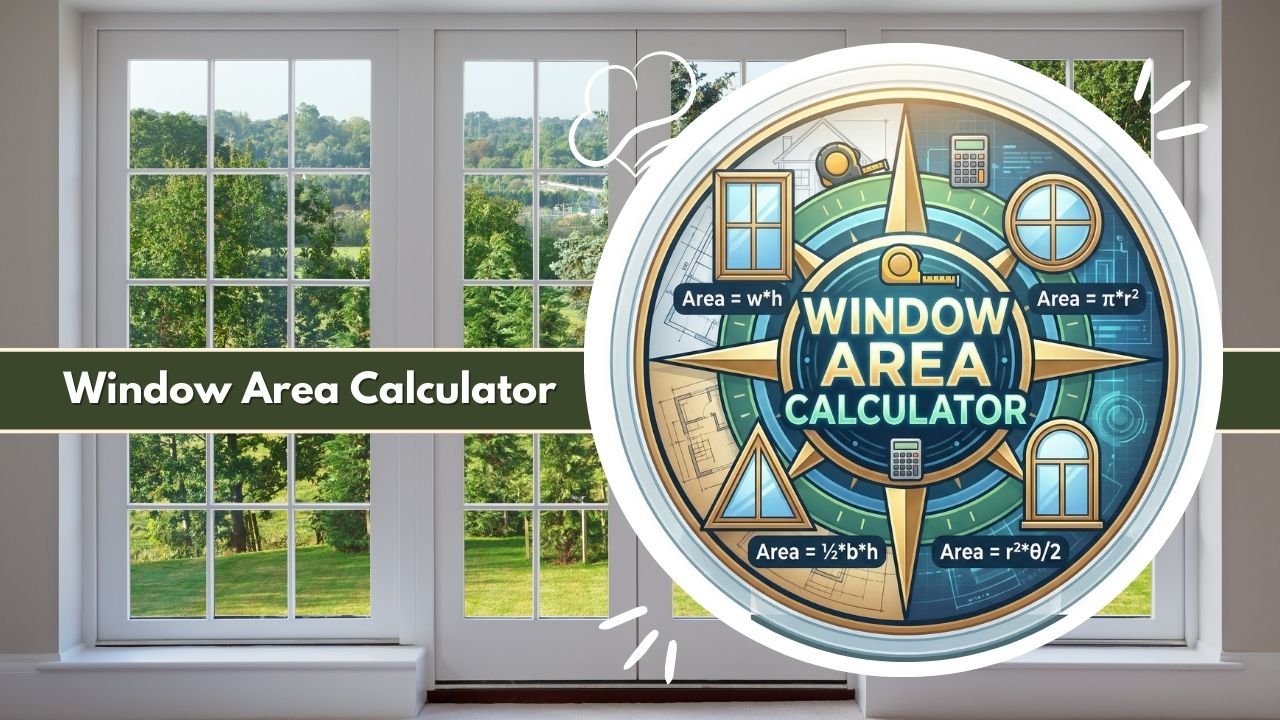
Master your project with our Window Area Calculator. Accurately measure glass, frame, and total surface area for precise material estimation, cost planning, and installation success.
Introduction to the Window Area Calculator
In the world of construction, architecture, and home renovation, precision is the cornerstone of success. Whether you are a professional contractor estimating glazing costs or a homeowner planning to purchase new thermal curtains, understanding the exact dimensions of your fenestration is crucial. This is where the Window Area Calculator becomes an indispensable asset. This digital tool is designed to eliminate the guesswork associated with measuring window openings, glazing surfaces, and frame perimeters.
The Window Area Calculator serves as a bridge between rough measurements and actionable data. While measuring a standard rectangular window might seem straightforward with a tape measure and a notepad, the calculations become significantly more complex when dealing with frames, sashes, and non-standard geometric shapes like arches or circles.
By inputting basic dimensions, the Window Area Calculator instantly computes the total surface area, differentiates between the viewing glass and the structural frame, and provides the metrics needed for ordering materials, calculating heat loss, or ensuring code compliance.
Why Accurate Window Area Matters for Construction & Renovation
Accuracy in measurement is not merely a preference; it is a financial and structural necessity. When a builder or architect utilizes a Window Area Calculator, they are guarding against costly errors. Overestimating the area can lead to the purchase of excess materials—glass, timber, aluminum, or vinyl—which eats into the project budget. Conversely, underestimating the area can result in material shortages, project delays, and the inability to meet local building codes regarding light and ventilation.
Furthermore, accurate area calculation is vital for energy efficiency analysis. The surface area of the glass directly impacts the U-factor (insulation value) and the Solar Heat Gain Coefficient (SHGC) of the building envelope. By using a Window Area Calculator, energy auditors can precisely determine how much heat transfer is occurring through the glazing versus the frame, allowing for better HVAC sizing and insulation planning.
Who Benefits from Using the Window Area Calculator
The utility of the Window Area Calculator spans across various disciplines within the building industry.
- Glaziers and Window Manufacturers: These professionals use the tool to determine the exact square footage of glass required for fabrication, ensuring minimal waste during the cutting process.
- General Contractors: Builders rely on the Window Area Calculator to estimate the total opening size for framing, dry walling returns, and ordering trim.
- HVAC Technicians: To calculate heating and cooling loads, technicians need to know the exact area of glass exposed to the sun.
- Interior Designers: From ordering blinds and shades to calculating fabric requirements for drapery, designers depend on accurate surface area data.
- Homeowners: DIY enthusiasts use the Window Area Calculator to verify contractor quotes or plan personal renovation projects like painting window frames or applying window film.
What the Window Area Calculator Is
The Window Area Calculator is a specialized computational tool engineered to determine the two-dimensional surface area of window units. Unlike a simple multiplication of length and width, this calculator is programmed to handle the nuances of fenestration geometry. It parses the window unit into its two primary components: the glazing (the glass you look through) and the frame (the sash and casing holding the glass).
Primary Function of the Window Area Calculator
The core objective of the Window Area Calculator is to provide a comprehensive breakdown of the window’s footprint. It accepts inputs regarding the external dimensions of the window unit and the thickness of the frame materials. It then processes this data to output three critical values: the gross area (total opening), the net glazing area (glass only), and the frame area (material surface). This distinction is vital because glass and frame materials behave differently regarding thermal expansion, cost, and maintenance.
How the Calculator Simplifies Window Dimension Analysis
Manual dimension analysis can be tedious and prone to arithmetic errors, especially when converting units between inches, feet, centimeters, and meters. The Window Area Calculator automates these conversions, ensuring that a measurement taken in inches provides an output in square feet or square meters as needed. Additionally, it simplifies the geometry of complex shapes.
For instance, calculating the area of a segment top or an arched window requires applying Pi and radius formulas. The Window Area Calculator handles these algebraic functions in the background, presenting the user with a clean, instant result.
What the Window Area Calculator Does
This tool acts as a virtual quantity surveyor for your window projects. It takes static linear measurements and transforms them into area-based data points that are essential for estimation and procurement.
Supported Window Shapes & Styles
Modern architecture is rarely limited to squares. A robust Window Area Calculator is equipped to handle a variety of geometric profiles found in residential and commercial buildings:
- Rectangular & Square: The standard shape for single-hung, double-hung, and casement windows.
- Circular & Round: Often used as portholes or decorative accent windows.
- Arched (Round Top): Windows with a rectangular base and a semi-circular top.
- Triangular: Common in gables and modern architectural designs.
By supporting these diverse shapes, the Window Area Calculator ensures that users can calculate the area for an entire house of mixed window styles in one session.
Types of Area Outputs: Glass Area, Frame Area & Total Area
The distinct value of the Window Area Calculator lies in its granular reporting.
- Total Surface Area: This is the calculation of the entire unit from the outer edge of the frame to the outer edge of the frame. It represents the size of the hole in the wall (rough opening minus shims).
- Glass Area: This is the “daylight opening.” The calculator subtracts the frame width from the total dimensions to determine the actual surface area of the glass pane. This figure is crucial for ordering glass and calculating natural light intake.
- Frame Area: By subtracting the glass area from the total area, the Window Area Calculator isolates the surface area of the frame itself. This is essential for estimating paint, stain, or vinyl material needed for the sash and jambs.
Key Features of the Window Area Calculator
To be effective in a professional setting, the tool includes specific features that enhance usability and accuracy.
Input Dimensions for Precise Window Measurement
The Window Area Calculator allows for precise data entry. Users can input:
- Width and Height: The primary bounding box of the window.
- Diameter: For circular windows.
- Radius: For arched or curved elements.
- Frame Width: A critical variable that defines how thick the sash/frame material is.
- Quantity: The ability to multiply the calculation by the number of identical windows to get a project total.
Calculation Capabilities for Complex Window Geometry
Behind the simple interface lies a powerful geometry engine. The Window Area Calculator applies specific geometric formulas depending on the shape selected. It understands that a 4-foot wide arched window has a different surface area than a 4-foot wide rectangular window, even if the peak height is the same. It automatically adjusts the math, splitting curves from straight lines to derive the exact square footage.
Interface Designed for Builders, Installers & Homeowners
The design of the Window Area Calculator prioritizes clarity. It utilizes visual cues, such as dropdown menus for shape selection and clear labels for “Width” and “Height.” The results are often displayed in a dashboard format, separating cost estimates and physical dimensions. This user-centric design ensures that a homeowner measuring for blinds feels as comfortable using the tool as a contractor measuring for a curtain wall system.
Mathematical Formulas Used in the Window Area Calculator
While the Window Area Calculator automates the math, understanding the underlying formulas helps users verify their data and understand how the results are derived. The calculator uses standard plain text mathematical notation.
Formula for Rectangular Window Area
The calculation for a standard rectangular window is the foundational formula of the Window Area Calculator.
Total Area = Width * HeightGlass Width = Width - (2 * Frame Width)Glass Height = Height - (2 * Frame Width)Glass Area = Glass Width * Glass Height
Formula for Circular, Arched & Specialty Window Area
For non-linear shapes, the Window Area Calculator uses geometric constants like Pi (approx. 3.14159).
Circular Windows:
Radius = Diameter / 2Total Area = 3.14159 * Radius * RadiusGlass Radius = Radius - Frame WidthGlass Area = 3.14159 * Glass Radius * Glass Radius
Arched Windows (Round Top): This is treated as a rectangle plus a semi-circle on top.
Rectangular Portion Height = Total Height - (Width / 2)Rectangle Area = Width * Rectangular Portion HeightSemi-Circle Area = (3.14159 * (Width / 2) * (Width / 2)) / 2Total Area = Rectangle Area + Semi-Circle Area
The Window Area Calculator performs a similar subtraction logic to find the glass area, reducing the dimensions by the frame width before running the area formulas.
Formula for Calculating Window Frame Surface Area
To determine how much material makes up the frame, the Window Area Calculator performs a simple subtraction operation after establishing the Total Area and Glass Area.
Frame Area = Total Area - Glass Area
This formula applies regardless of the window shape, making it a universal method for material estimation.
Variables Required for Glass & Frame Computation
To function correctly, the Window Area Calculator requires consistent variables. The user must ensure that:
- Units are consistent: You cannot multiply feet by inches directly. The calculator usually standardizes inputs to a single unit (e.g., converting everything to feet) before processing.
- Frame definition: The “Frame Width” must represent the face width of the frame profile—the distance from the outer edge of the frame to the beginning of the glass.
Geometry Factors that Influence Window Area
Geometry plays a massive role in the output of the Window Area Calculator. For example, in a triangular window, the slope of the sides drastically reduces the area compared to a square of the same maximum dimensions. Similarly, the “rise” of an arch affects the total square footage. The calculator algorithms account for these geometric constraints to prevent the over-estimation that occurs when simply multiplying max width by max height.
How to Use the Window Area Calculator Step-by-Step
Using the Window Area Calculator is a straightforward process, but preparation is key to accuracy.
Dimensions Needed Before Starting
Before opening the Window Area Calculator, gather the following:
- A metal tape measure (fabric tapes stretch and are inaccurate).
- A step ladder for high windows.
- Paper and pencil to record measurements before entry.
- The width of the frame profile (e.g., 2 inches or 5 cm).
Step-By-Step Window Area Calculation Workflow
- Select the Shape: Choose the window shape (Rectangle, Circle, Arch, etc.) in the Window Area Calculator interface.
- Choose Units: Select whether you are measuring in feet, inches, meters, or centimeters.
- Measure Width: Measure the window from the far left edge of the frame to the far right edge. Enter this value.
- Measure Height: Measure from the top edge of the frame to the bottom edge. Enter this value.
- Measure Frame: Measure the thickness of the frame material surrounding the glass. Enter this into the “Frame Width” field.
- Enter Quantity: If you have 5 identical windows, enter “5”.
- Calculate: Click the calculate button to generate your results.
Techniques for Ensuring Accurate Measurements
For the most precise results from the Window Area Calculator, measure the window in three places: the top, middle, and bottom for width; and left, center, and right for height. Use the smallest measurement if the window is out of square, or the average if measuring for surface coating. Always measure from the outside of the frame if you are calculating total rough opening, or from jamb to jamb if you are calculating glass replacement.
Window Area Calculator Example Calculation
Let’s walk through a realistic scenario to demonstrate how the Window Area Calculator processes data.
Example Input Values for a Realistic Window
Imagine you are renovating a bedroom and need to replace a standard single-hung window.
- Shape: Rectangle
- Unit: Feet
- Total Width: 4 feet
- Total Height: 5 feet
- Frame Face Width: 0.25 feet (3 inches)
- Cost of Glass: $10 per square foot
Step-by-Step Sample Calculation
The Window Area Calculator performs the math as follows:
- Total Area Calculation:
4 ft * 5 ft = 20 sq ft - Glass Dimension Calculation: The frame takes up 0.25 ft on both sides.
Glass Width = 4 ft - 0.25 ft - 0.25 ft = 3.5 ftGlass Height = 5 ft - 0.25 ft - 0.25 ft = 4.5 ft - Glass Area Calculation:
3.5 ft * 4.5 ft = 15.75 sq ft - Frame Area Calculation:
20 sq ft (Total) - 15.75 sq ft (Glass) = 4.25 sq ft
How to Understand the Final Area Output
The Window Area Calculator will display these three distinct figures.
- 20 sq ft: Tells the builder how big the hole in the wall is.
- 15.75 sq ft: Tells the homeowner how much sunlight will enter or how much glass to order.
- 4.25 sq ft: Tells the painter how much primer and paint is needed to cover the frame.
Practical Applications of the Window Area Calculator
The versatility of the Window Area Calculator makes it useful for various phases of construction and design.
Window Installation & Replacement Planning
When planning an installation, contractors use the Window Area Calculator to verify that the new windows meet local building codes. Many jurisdictions require a specific percentage of floor area to be window area for habitable rooms (often 8% or 10%). By quickly calculating the area of proposed windows, builders can ensure compliance before ordering.
Material Estimation for Glass & Frames
For custom window fabrication, waste is a major cost. A Window Area Calculator helps fabricators optimize cutting diagrams. By knowing the exact glass area versus frame area, manufacturers can order the correct amount of glazing extrusion and glass sheets, minimizing off-cuts and saving money.
Energy Efficiency, Sunlight & Ventilation Planning
Energy modeling software often requires the input of window areas to calculate thermal loads. The Window Area Calculator provides the precise “Glazing Area” needed for these models. Additionally, for passive solar heating, architects aim for specific window-to-wall ratios on southern exposures. This calculator allows them to tweak dimensions to hit those exact targets.
Architectural & Interior Design Use Cases
Interior designers use the Window Area Calculator to estimate the cost of window treatments. Drapery fabric is sold by the yard, and knowing the total area to be covered (plus fullness factors) is essential. Similarly, for applying UV-blocking window film, knowing the exact net glass area ensures the installer buys enough film without excessive overage.
Advantages of Using a Window Area Calculator
Why switch from a notepad to a digital tool? The benefits are tangible.
Saves Time in Measuring Multiple Windows
Calculating the area of one window is fast; calculating the area for a 50-window office building with varying sizes is slow. The Window Area Calculator speeds up this workflow, especially when it includes a quantity multiplier. It allows for rapid iteration—you can change the frame width and instantly see how it affects the glass area.
Reduces Human Error in Manual Calculations
Arithmetic errors are common on job sites. Forgetting to subtract the frame from both sides (measuring width minus frame instead of width minus two frames) is a frequent mistake. The Window Area Calculator has the logic hard-coded, ensuring that if the inputs are correct, the math is infallible.
Improves Precision for Professional-Grade Planning
Professional estimates require professional accuracy. Presenting a client with a quote based on precise square footage derived from a Window Area Calculator looks more professional and reliable than a “ballpark” estimate. It builds trust and ensures that profit margins are maintained by accurate material costing.
Common Mistakes When Using a Window Area Calculator
Even with a perfect tool, user error can lead to incorrect results. Here are common pitfalls to avoid.
Entering Incorrect Height or Width
The most basic error is transposing numbers—typing the width as the height or vice versa. While this doesn’t change the total area for a rectangle, it might confuse the user if they are visualizing the orientation. More critically, entering a measurement in inches into a field expecting feet will result in a massive calculation error. Always check the unit selector on the Window Area Calculator.
Confusing Radius with Diameter in Curved Windows
For circular windows, the Window Area Calculator may ask for diameter (total width) or radius (center to edge). Confusing these two results in an area calculation that is off by a factor of four. Always verify which dimension the calculator is requesting.
Forgetting to Measure Frame Thickness
Users often measure the total width and height but leave the “Frame Width” field at a default zero. This results in the Window Area Calculator reporting that the Glass Area is equal to the Total Area, which is physically impossible for a framed window. This leads to under-ordering frame materials and over-ordering glass.
Limitations of a Window Area Calculator
While powerful, the Window Area Calculator has boundaries.
Only Supports Standard Window Shapes
Most calculators are programmed for geometric primitives: rectangles, circles, and triangles. If you have a custom “kidney bean” shaped window or a highly irregular polygon, a standard Window Area Calculator may not be able to compute the area automatically. These shapes often require CAD software or manual geometric decomposition.
Accuracy Depends on Measurement Precision
The Window Area Calculator is a “garbage in, garbage out” tool. If your physical measurement with the tape measure is off by an inch, the area calculation will be incorrect. The calculator cannot correct for a user holding a tape measure diagonally or reading the wrong tick mark.
Accuracy Factors for Window Area Calculations
To maximize the effectiveness of the Window Area Calculator, consider these factors.
Importance of Correct Measuring Tools
Using a laser distance measurer is often more accurate than a bending tape measure, especially for large windows. High-quality tools ensure that the data fed into the Window Area Calculator is precise.
Effects of Frame Design & Shape Complexity
Some windows have complex frames with stepped profiles or beveled edges. The Window Area Calculator typically assumes a flat, 2D frame width. Users must decide whether to measure the “visible” frame or the actual profile width depending on their goal (e.g., painting vs. rough opening).
Variations in Area Formula Selection
Different calculators might use slightly different approximations for Pi or rounding methods. However, a high-quality Window Area Calculator will use standard mathematical constants to ensuring consistency with industry norms.
Industry Standards Related to Window Measurement
Professionals using the Window Area Calculator should be aware of industry standards.
Fenestration Measurement Standards (NAMI, AAMA, NFRC)
Organizations like the National Fenestration Rating Council (NFRC) and the American Architectural Manufacturers Association (AAMA) have strict guidelines on how window sizes are reported. They define exactly where “Daylight Opening” begins and ends. A professional Window Area Calculator aligns with these definitions to ensure that the calculated “Glass Area” matches the NFRC rating labels.
Glass Safety & Installation Compliance Requirements
Building codes dictate that glass areas exceeding certain square footage (often close to the floor) must use tempered safety glass. By accurately calculating the area using the Window Area Calculator, builders can identify which windows trigger these safety codes, avoiding inspection failures later.
Troubleshooting Issues in Window Area Calculations
If the Window Area Calculator gives a result that seems wrong, check these areas.
Why Results Look Incorrect
Does the area seem too small? You might have entered dimensions in meters while thinking in feet. Does the glass area seem negative? You might have entered a frame width that is larger than half the window width (mathematically impossible).
Missing or Invalid Dimension Inputs
If the Window Area Calculator returns an error or zero, ensure all required fields are filled. A triangular window calculation requires both base and height; leaving one blank prevents the calculation.
Problems Caused by Unit Conversion
Mixing units is the enemy of accuracy. If you measure width in inches (48″) and height in feet (5′), and enter “5” into an inches field, the Window Area Calculator calculates a tiny 5-inch tall window. Always convert manual measurements to a single unit standard before entry or ensure the tool supports mixed inputs.
Frequently Asked Questions About the Window Area Calculator
What is the primary use of a Window Area Calculator?
The Window Area Calculator is used to determine the total surface area, glass area, and frame area of a window for construction, cost estimation, and material planning.
Does the Window Area Calculator account for the window frame?
Yes, most advanced calculators allow you to input the frame width. The tool then subtracts the frame area from the total area to give you the net glass area.
Can I use the Window Area Calculator for circular windows?
Absolutely. By selecting the “Circle” shape and entering the diameter or radius, the Window Area Calculator uses the Pi formula to determine the exact area.
How accurate is the Window Area Calculator?
The calculator is mathematically perfect based on the formulas used. However, the real-world accuracy depends entirely on the precision of the measurements you input.
Does the calculator work for double-hung windows?
Yes. For a double-hung window, you can treat the entire unit as one large rectangle to find the total rough opening, or calculate each sash individually if you need specific glass dimensions.
Can I calculate the area of multiple windows at once?
Yes, the Window Area Calculator features a “Quantity” field. You can enter the dimensions for one window and set the quantity to 10 to get the total area for a whole room or building.
Why is the glass area result smaller than the total area?
The total area includes the frame, sash, and casing. The glass area is strictly the transparent part. The Window Area Calculator subtracts the frame materials to show just the glass surface.
What units should I use in the Window Area Calculator?
Most calculators support Imperial (Feet/Inches) and Metric (Meters/Centimeters). Choose the unit you are most comfortable measuring with, but ensure you are consistent.
Is the Window Area Calculator useful for buying curtains?
Yes. By calculating the total coverage area, you can determine how much fabric is needed. It is recommended to add extra width for “fullness” or pleating beyond the calculator’s exact output.
Can it calculate the cost of the window?
If the Window Area Calculator has a “Cost per Sq. Ft/M” field, it can estimate the price. You input your material cost, and it multiplies it by the calculated total area.
How do I measure an arched window for the calculator?
Measure the widest point at the base and the tallest point at the peak. Input these into the Window Area Calculator under the “Arch” or “Round Top” setting.
Does the calculator help with HVAC sizing?
Yes. HVAC load calculations require the square footage of exposed glass to estimate heat gain/loss. The Window Area Calculator provides this exact data point.
What if my window has muntins (grids)?
Typically, the Window Area Calculator ignores muntins (grids) and calculates the glass area as if it were one solid sheet, which is standard for U-factor and heat gain calculations.
Related Tools & Calculators:
- Water Tank Area Calculator
- Arch Pipe Area Calculator
- Partially Full Pipe Area Calculator
- Hollow Pipe Area Calculator
- Pipe Area Calculator
- Net Free Area Calculator
- Net Area Calculator
- Mulch Area Calculator
- Lawn Area Calculator
- L Shape Area Calculator
- Kitchen Area Calculator
- Kidney Pool Surface Area Calculator