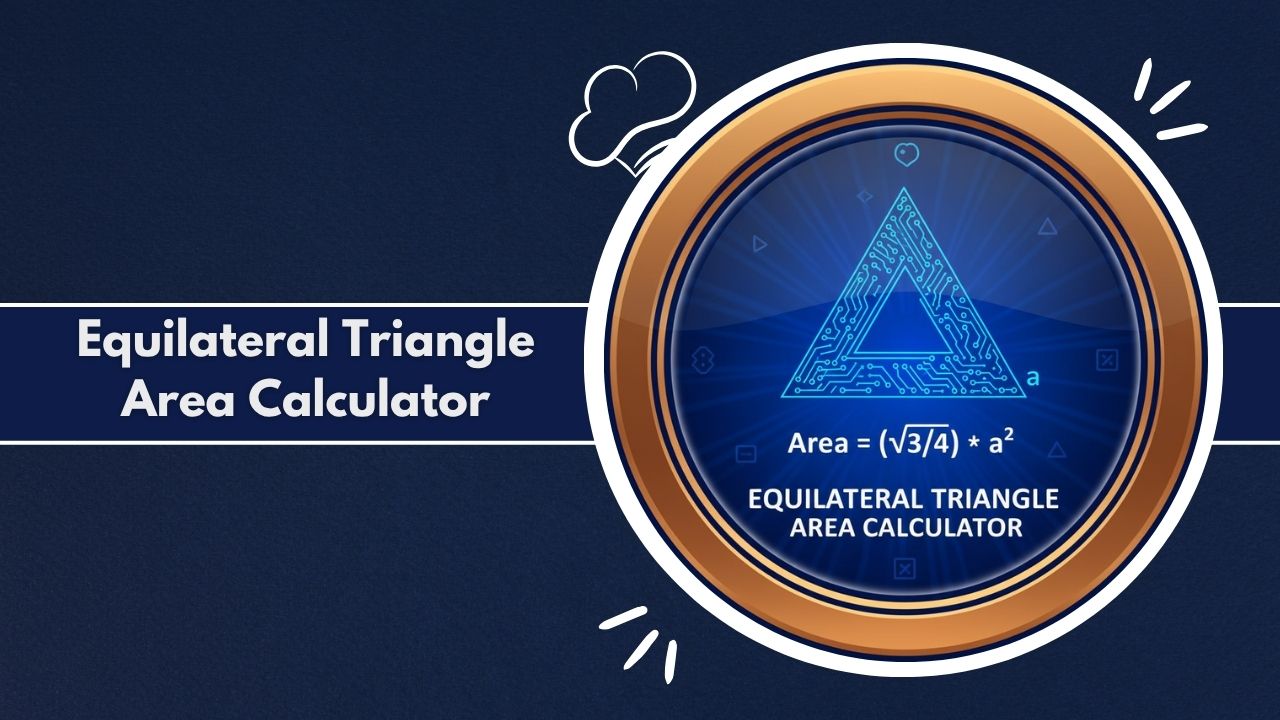
Input side lengths into the Equilateral Triangle Area Calculator for instant precision. Calculate area, height, and perimeter for geometry, design, and engineering projects efficiently.
Calculation Results
Area
–
Perimeter
–
Height
–
Geometric Properties
- Internal Angles: 60°, 60°, 60°
- Inradius (r): –
- Circumradius (R): –
Associated Areas
- Inscribed Circle Area: –
- Circumscribed Circle Area: –
Area Ratios
Geometry is a fundamental branch of mathematics that defines the world around us, from the smallest atomic structures to the grandest architectural marvels. Among the myriad of shapes, the triangle stands out for its structural integrity and simplicity. And within the family of triangles, the equilateral triangle is the pinnacle of symmetry—a perfect, regular polygon with three equal sides and three equal internal angles, each precisely 60 degrees.
This perfection, however, introduces a unique challenge for calculation. Unlike a right-angled triangle, the height is not immediately obvious. Calculating its area requires more than a simple base-times-height formula; it involves understanding square roots and the Pythagorean theorem. This is where a specialized tool becomes indispensable.
Welcome to this in-depth exploration of the Equilateral Triangle Area Calculator. This article will delve into every facet of this powerful tool—what it is, the formulas it uses, its practical applications, and how you can use it to get instant, accurate geometric data. Whether you are a student, an engineer, a designer, or a hobbyist, understanding how to leverage an Equilateral Triangle Area Calculator will save you time and prevent costly errors.
Why Equilateral Triangle Area Matters
The area of a shape defines the two-dimensional space it occupies. For an equilateral triangle, this measurement is crucial for countless applications. In design, it determines the material needed to create a triangular logo or inlay. In construction, it’s the basis for calculating the surface area of a triangular panel or the amount of paint required for a gable.
The stability of the equilateral triangle makes it a cornerstone of engineering. It is the fundamental component of a truss, the strong, repeating framework that supports bridges and roofs. Knowing the area of these components is essential for structural analysis and material specification. In essence, the area is a foundational metric that translates a simple geometric shape into a quantifiable, real-world measurement.
Who Uses Equilateral Triangle Calculations
Calculations specific to equilateral triangles are not confined to a single industry. A wide range of individuals relies on these precise measurements:
- Students and Educators: Geometry, algebra, and trigonometry students use these calculations to understand theorems and solve problems. An Equilateral Triangle Area Calculator serves as an excellent tool for checking homework and exploring geometric properties.
- Engineers (Structural, Civil, Mechanical): Engineers use equilateral triangles to design and analyze truss systems, support brackets, and other components where force distribution and stability are paramount.
- Architects and Designers: From aesthetic facades and tessellated flooring patterns to interior design elements, architects use the perfect symmetry of equilateral triangles. Calculating the area is essential for material manifests and cost estimation.
- Manufacturers and Fabricators: Anyone working with sheet metal, wood, or textiles to create triangular components needs to know the precise area. This is vital for programming CNC machines, minimizing material waste, and pricing products.
- Hobbyists and DIYers: Woodworkers, quilters, and gardeners often use equilateral triangles in their projects. An Equilateral Triangle Area Calculator helps them plan a triangular garden bed or cut perfect segments for a quilt.
What the Equilateral Triangle Area Calculator Is
An Equilateral Triangle Area Calculator is a dedicated digital tool designed for one specific purpose: to compute the area and other geometric properties of a perfect equilateral triangle. It is a specialized instrument, meaning it is built exclusively for triangles where all three sides are of equal length.
It is important to differentiate this from a general-purpose triangle calculator. A general tool might ask for three different side lengths (for a scalene triangle) or a base and height. An Equilateral Triangle Area Calculator understands the inherent properties of this shape. It knows that if one side is 10 inches, all sides are 10 inches, and all angles are 60 degrees. This specialization is what makes it so fast and easy to use.
Purpose of the Calculator
The primary purpose of the Equilateral Triangle Area Calculator is to eliminate the burden of manual computation. Manually calculating the area of an equilateral triangle involves a multi-step formula derived from the Pythagorean theorem, which can be time-consuming and prone to arithmetic errors.
The calculator automates this entire process. Its goal is to provide a complete geometric profile of an equilateral triangle from a single piece of information: its side length. It is designed to be an efficiency tool, providing instant, reliable answers for professionals and an invaluable learning aid for students. The Equilateral Triangle Area Calculator bridges the gap between a theoretical shape and its practical, measurable properties.
How the Calculator Simplifies Triangle Geometry
The geometry of an equilateral triangle is elegantly simple in theory but complex in manual practice. To find the area manually, you must first find the height.
- You must split the equilateral triangle (side
s) into two smaller 30-60-90 right-angled triangles. - The base of this new triangle is
s/2, and the hypotenuse iss. - You must then use the Pythagorean theorem (
a² + b² = c²) to find the height (h):h² + (s/2)² = s². - This simplifies to
h² = s² - (s²/4), thenh² = (3s²/4), and finallyh = (s * √3) / 2. - Only then can you use the area formula
A = (1/2) * base * height, which becomesA = (1/2) * s * ((s * √3) / 2), simplifying toA = (s² * √3) / 4.
The Equilateral Triangle Area Calculator simplifies this entire sequence. It contains this final, optimized formula. The user simply provides the s value, and the calculator instantly computes the result. It abstracts the complex derivation, allowing the user to focus on the application of the result, not the rote calculation.
What the Equilateral Triangle Area Calculator Does
At its core, the Equilateral Triangle Area Calculator takes a single input and generates a comprehensive list of outputs. It functions as a complete solver for this specific geometric shape.
While its name highlights “area,” any high-quality Equilateral Triangle Area Calculator provides a full suite of related properties. This is because all properties of an equilateral triangle (perimeter, height, inradius, circumradius) are mathematically linked to the side length. By calculating one, it can easily calculate all others, presenting a holistic view of the triangle’s geometry.
Types of Inputs It Can Handle
The Equilateral Triangle Area Calculator is designed for simplicity. The primary and, in most cases, only input required is:
- Side Length (s): The length of one of the triangle’s three equal sides.
A well-designed calculator also handles a critical secondary input:
- Units: The calculator allows you to specify the unit of measurement for your side length (e.g., centimeters, meters, inches, feet). This is a crucial feature that prevents significant errors. The calculator then provides all outputs in the corresponding linear or square units.
The tool implicitly handles fixed inputs: the angles are always 60 degrees. It does not require angle inputs, as that would make it a different type of calculator. It also intelligently handles invalid inputs, such as negative numbers or zero, by prompting the user for a valid positive length.
Accuracy and Output Details for Equilateral Triangles
The accuracy of an Equilateral Triangle Area Calculator is based on the precision of the mathematical constants it uses, primarily the square root of 3 (√3 ≈ 1.73205...). A digital calculator uses a high-precision version of this constant, leading to far more accurate results than one might get by manually rounding √3 to 1.73.
The outputs are precise and clearly labeled with their correct units, which is a common point of confusion in manual calculations.
- Linear Outputs (1D): Perimeter, Height, Inradius, and Circumradius are all measures of length. If you input the side in
cm, these results will be incm. - Area Outputs (2D): Area is a measure of 2D space. If you input the side in
cm, the area will be in square centimeters (cm²). The Equilateral Triangle Area Calculator correctly formats this distinction.
The final results are typically rounded to a practical number of decimal places (e.g., two, three, or four), providing a balance of precision and usability for real-world applications.
Key Features of the Equilateral Triangle Area Calculator
A truly useful Equilateral Triangle Area Calculator moves beyond being a simple formula-solver and becomes a user-friendly tool. Its key features are designed for accessibility, power, and clarity.
Input Options
The hallmark of a great Equilateral Triangle Area Calculator is its simple input system. The user is presented with a single, unambiguous field: “Side Length.” This removes all guesswork.
The most important input option, however, is the unit selector. This feature allows the user to input their measurement in whatever unit they took it, be it millimeters (mm), centimeters (cm), meters (m), inches (in), or feet (ft). The calculator handles all necessary conversions internally. This prevents the user from having to, for example, convert 1 foot 3 inches into a decimal foot value before even starting.
Calculation Capabilities
This is the core function. A comprehensive Equilateral Triangle Area Calculator does not just stop at area. It provides a full geometric report:
- Area: The primary output, calculated as
(s² * √3) / 4. - Perimeter (P): The total length of the boundary, calculated as
P = 3s. - Height (h) / Altitude: The perpendicular distance from one side to the opposite vertex, calculated as
h = (s * √3) / 2. - Inradius (r): The radius of the largest possible circle that can be inscribed within the triangle.
- Circumradius (R): The radius of the circle that passes through all three vertices, circumscribing the triangle.
A robust Equilateral Triangle Area Calculator will compute all these values simultaneously from the single side-length input.
User-Friendly Interface
The interface of a modern Equilateral Triangle Area Calculator is designed to be clean, intuitive, and responsive.
- Clear Labeling: All input fields and output results are clearly labeled, so there is no ambiguity between “Area” and “Perimeter” or “Inradius” and “Circumradius.”
- Logical Flow: The user enters data at the top, clicks a prominent “Calculate” button, and views the results in an organized section below.
- Results Display: Outputs are often grouped logically, such as “Main Calculations” (Area, Perimeter, Height) and “Advanced Properties” (Radii), often presented in “cards” or tables for easy reading.
- Visual Aids: Some calculators may include a simple, dynamic diagram of an equilateral triangle, labeled with
s,h,r, andR, to help users visualize the properties they are calculating.
Mathematical Formulas Used in the Equilateral Triangle Area Calculator
The Equilateral Triangle Area Calculator is not magic; it is a powerful engine running on proven geometric formulas. Its speed comes from having these formulas pre-programmed, allowing it to execute them instantly.
Standard Formula Using Side Length
The most common and direct formula for the area of an equilateral triangle, and the one used by every Equilateral Triangle Area Calculator, is based on the side length (s).
Formula: Area = (s² * √3) / 4
As derived earlier, this formula is a brilliant optimization. It combines the Pythagorean theorem and the standard area formula (A = 1/2 * base * height) into a single step. This is the primary equation the Equilateral Triangle Area Calculator solves when you input a side length.
Height-Based Area Formula
While most calculators are optimized for side-length input, it is mathematically possible to find the area if you only know the height (h). The formula is:
Formula: Area = h² / √3
This is derived by first solving the height formula (h = (s * √3) / 2) for the side s (which gives s = 2h / √3) and then substituting that back into the standard area formula. A Equilateral Triangle Area Calculator typically does not ask for the height, as the side length is a more common and direct external measurement.
Parameters Required for Triangle Calculations
The beauty of equilateral triangles lies in their perfect symmetry. Because all sides are equal and all angles are fixed at 60 degrees, the entire shape is “defined” by a single parameter: its side length (s).
This is a stark contrast to other triangle types:
- Scalene Triangle: Requires three parameters (e.g., three side lengths, or two sides and an angle).
- Isosceles Triangle: Requires two parameters (e.g., the two equal sides and the third side, or the base and the height).
The Equilateral Triangle Area Calculator leverages this simplicity. It only needs the s parameter to unlock every other property of the triangle.
Variables and Geometric Considerations Explained
The Equilateral Triangle Area Calculator computes several interrelated variables. Here is what each one represents:
s(Side Length): The primary input. The length of one side.P(Perimeter): The distance around the triangle.P = 3s.h(Height): The altitude. A key geometric consideration is that in an equilateral triangle, the height (altitude) is also the median (bisects the side) and the angle bisector.h = (s * √3) / 2.A(Area): The 2D space inside the perimeter.A = (s² * √3) / 4.r(Inradius): The radius of the inscribed circle. A unique property of equilateral triangles is that the incenter (the center of this circle) is the same point as the centroid and circumcenter. The inradius is exactly 1/3 of the height:r = h / 3.R(Circumradius): The radius of the circumscribed circle. This is exactly 2/3 of the height:R = 2h / 3.
This 1:2 ratio between the inradius and circumradius (R = 2r) is a hallmark of equilateral triangles and a value that a good Equilateral Triangle Area Calculator provides.
How to Use the Equilateral Triangle Area Calculator Step-by-Step
Using the Equilateral Triangle Area Calculator is a straightforward process designed to be intuitive for all users, regardless of their mathematical background.
Required Inputs for Equilateral Triangles
Before you begin, you need two pieces of information:
- The Side Length (
s): You must measure the length of one side of your equilateral triangle. (It is good practice to measure all three to ensure your triangle is, in fact, equilateral). - The Unit of Measurement: You must know the unit you used for the measurement (e.g., inches, cm, etc.).
Step-by-Step Usage Flow
- Open the Calculator: Navigate to the Equilateral Triangle Area Calculator.
- Locate the Input Field: Find the text box labeled “Side Length.”
- Enter Your Side Length: Type your measured value into the box. For example, if your side is 12.5, enter
12.5. - Select Your Unit: Find the dropdown menu or selector next to the input field. Choose the unit that matches your measurement (e.g., “cm,” “in,” “ft”).
- Click “Calculate”: Press the main calculation button.
- Review the Results: The page will update, often scrolling you down to a results section. Here you will see a clearly formatted list of all the calculated properties: Area, Perimeter, Height, and more. The Equilateral Triangle Area Calculator will automatically format the area with the correct square units (e.g.,
cm²).
Tips for Accurate Triangle Results
The calculator is only as accurate as the data you provide. Follow these tips to ensure your results are correct:
- Measure with Precision: Use a reliable measuring tool (e.g., a steel tape measure, calipers) and measure as precisely as possible.
- Verify It’s Equilateral: Measure all three sides. If they are not equal (e.g., 10.1, 10.0, 10.2), your shape is not truly equilateral. You may need to take an average (
(10.1 + 10.0 + 10.2) / 3 = 10.1) and understand the result from the Equilateral Triangle Area Calculator will be an approximation. - Double-Check Your Units: This is the most common mistake. Entering
10with the unit “ft” when you measured “10 inches” will result in an area 144 times larger than expected. Always confirm your unit selection before you calculate.
Equilateral Triangle Area Calculator Example Calculation
Let’s walk through a complete example to demonstrate what the Equilateral Triangle Area Calculator does behind the scenes.
Sample Triangle Input Values
- Side Length (s): 8
- Unit: inches
Step-by-Step Computation
You simply enter “8” and “in” and click “Calculate.” The Equilateral Triangle Area Calculator performs the following computations instantly:
- Input:
s = 8 in - Perimeter Calculation:
P = 3 * sP = 3 * 8P = 24 in
- Height Calculation:
h = (s * √3) / 2h = (8 * 1.73205) / 2h = 13.8564 / 2h = 6.9282 in
- Area Calculation:
A = (s² * √3) / 4A = (8² * 1.73205) / 4A = (64 * 1.73205) / 4A = 110.8512 / 4A = 27.7128 in²
- Radii Calculation:
r = h / 3 = 6.9282 / 3 = 2.3094 inR = h * (2/3) = 6.9282 * (2/3) = 4.6188 in
Final Output Interpretation
The Equilateral Triangle Area Calculator would then present these results in a clean format:
- Area:
27.71 in²(or27.7128 in², depending on precision) - Perimeter:
24.00 in - Height:
6.93 in - Inradius:
2.31 in - Circumradius:
4.62 in
This output provides a complete, actionable geometric profile of the 8-inch equilateral triangle, all from a single input.
Practical Applications of the Equilateral Triangle Area Calculator
The utility of an Equilateral Triangle Area Calculator extends far beyond the classroom. It is a practical tool used in numerous professional and personal projects.
Construction and Architecture
In building and design, the equilateral triangle is a symbol of strength.
- Truss Design: Roof and bridge trusses are made of interconnecting triangles. The Equilateral Triangle Area Calculator helps engineers determine the specifications of these components.
- Tessellation: Architects and interior designers use repeating (tessellating) triangular tiles for floors, walls, and building facades. The calculator is essential for estimating the total number of tiles needed to cover a given surface.
- Gable Ends: Calculating the area of a triangular gable end (if it’s equilateral) is necessary for ordering siding or paint.
Landscaping and Outdoor Planning
Geometry is central to landscape design.
- Garden Beds: A designer planning a garden with equilateral triangle-shaped planters needs the area to calculate the volume of soil required.
- Patios and Walkways: When using triangular pavers, the Equilateral Triangle Area Calculator helps in estimating the total quantity of pavers needed for the project, minimizing waste and controlling costs.
Manufacturing and Fabrication
In manufacturing, precision is key.
- Sheet Material Cutting: When cutting triangular parts from sheet metal, plywood, or acrylic, the area is calculated to optimize the layout on a sheet, a process called “nesting.” This minimizes material scrap.
- Signage: Many warning and informational signs are equilateral triangles. The Equilateral Triangle Area Calculator is used to find the surface area for applying vinyl, paint, or other materials.
- Component Parts: Countless small machine parts, brackets, or supports might be equilateral triangles.
Engineering and Technical Design
Beyond general construction, engineers in various fields use these calculations.
- Structural Analysis: The area (cross-sectional area) of a triangular beam is the first step in calculating its moment of inertia and resistance to bending.
- Acoustics: Acoustic foam panels used in recording studios are often cut into triangular wedges. The Equilateral Triangle Area Calculator helps determine the total surface area of foam needed to treat a room.
- Optics: The base of a prism is often an equilateral triangle. Its area is a key parameter in optical calculations.
Advantages of Using an Equilateral Triangle Area Calculator
While the formulas are public knowledge, using a dedicated Equilateral Triangle Area Calculator offers significant advantages over manual calculation.
Time Savings
This is the most immediate benefit. The process of finding the formula, recalling the Pythagorean theorem, and performing the multi-step calculation with a handheld calculator can take several minutes. An Equilateral Triangle Area Calculator delivers a more comprehensive result in less than a second. For professionals who may do this dozens of times a day, the cumulative time saved is enormous.
Error Reduction
Manual calculation is a minefield for simple errors.
- Arithmetic Error: A simple mistake in multiplication or division.
- Formula Error: Recalling the formula as
(s² * √3) / 2instead of/ 4. - Transposition Error: Writing down
1.732as1.372.
The Equilateral Triangle Area Calculator is built on a verified, hard-coded formula. It cannot make an arithmetic mistake. This reliability is critical in professional settings where an error in area can lead to ordering thousands of dollars in excess material or, worse, cutting a critical component to the wrong size.
Professional-Grade Accuracy
The Equilateral Triangle Area Calculator uses a high-precision value for the square root of 3, leading to a more accurate result than is practical for manual calculation. It also provides a full set of related data (height, radii) that a user might not have bothered to calculate manually. This comprehensive, accurate data supports more professional and thorough planning and documentation.
Common Mistakes When Using an Equilateral Triangle Area Calculator
The tool is precise, but it is not immune to user error. Here are the most common mistakes to be aware of.
Incorrect Side Measurements
The calculator operates on the “Garbage In, Garbage Out” (GIGO) principle. If you provide an inaccurate side measurement, the Equilateral Triangle Area Calculator will provide you with a perfectly calculated but real-world-inaccurate answer. A lazy measurement with a sagging tape measure will lead to a useless result.
Confusing Equilateral with Other Triangle Types
This is the most critical conceptual error. A user may have an isosceles triangle (two equal sides) or a right-angled triangle and try to use the Equilateral Triangle Area Calculator. This will produce a completely incorrect result. This calculator is a specialist. It only works if you have verified that all three sides of your triangle are equal.
Skipping Unit Conversions
A common mistake is a mismatch between measurement and input.
- Example: A user measures a side as 2 feet. They enter “2” in the Equilateral Triangle Area Calculator but leave the unit selector on its default, “inches.” The calculator will compute the area of a 2-inch triangle, not a 2-foot triangle. The resulting area will be 144 times too small. Always verify your units.
Limitations of an Equilateral Triangle Area Calculator
Understanding a tool’s limitations is as important as understanding its capabilities.
Only Works for Equal-Sided Triangles
The main limitation of the Equilateral Triangle Area Calculator is also its primary feature: it is exclusively for equilateral triangles. It has no function for scalene, isosceles, acute, or obtuse triangles in general. For those, a different, more general triangle calculator would be needed.
Input Precision Limitations
The calculator’s output precision is limited by the input precision. If your side length is 10.125 cm, you should enter 10.125. If you round it yourself to 10.1, you are introducing a small error before the calculation even begins. The Equilateral Triangle Area Calculator cannot guess the precision of your original measurement; it trusts the number you provide.
Accuracy Factors for Equilateral Triangle Area Calculations
The final accuracy of your result depends on three factors: the tool, the formula, and the user.
Measurement Precision
The precision of your measuring instrument (e.g., a ruler marked to 1/16th of an inch vs. digital calipers measuring to 0.001 inches) is the single biggest factor in your final accuracy. An Equilateral Triangle Area Calculator can’t make a vague measurement more precise.
Formula Selection Differences
This is a subtle factor. If you manually calculate the height, round it to two decimal places, and then use that rounded height to calculate the area, you will introduce a rounding error. The Equilateral Triangle Area Calculator avoids this by using the most direct formula (A = (s² * √3) / 4), which minimizes intermediate rounding errors.
Side-Length Variations
In the real world, a physical object is rarely a perfect geometric shape. A fabricated triangle might have sides of 100.1mm, 99.9mm, and 100.0mm. It is not perfectly equilateral. The user must use their judgment, perhaps by inputting the average side length (100.0mm) into the Equilateral Triangle Area Calculator, while understanding the result is a close approximation, not an absolute fact.
Industry Standards Related to Triangle Area Measurement
In professional fields, calculations are governed by standards to ensure consistency and safety.
Construction Standards
Standards organizations (like ASTM or BSI) define allowable tolerances for building components. A specification for a structural truss may state that its triangular components must be equilateral within a certain tolerance. Calculations for materials must also follow standards, often requiring a “waste factor” (e.t., 5-10%) to be added to the pure geometric area calculated by the Equilateral Triangle Area Calculator.
Engineering Guidelines
Engineering bodies (like ASME or ICE) publish guidelines on the required precision for calculations. A calculation for a student’s homework might be fine with two decimal places, but a calculation for a load-bearing beam in a bridge may require five or more, plus a rigorous check of the initial measurements. A professional-grade Equilateral Triangle Area Calculator must have sufficient internal precision to meet these standards.
Troubleshooting Issues in Equilateral Triangle Area Calculations
If the number from the Equilateral Triangle Area Calculator seems wrong, 99% of the time it is due to an input error.
Unexpected Results
- Problem: The area seems impossibly large or small.
- Cause: The most likely cause is a unit mismatch. You entered “10” in “meters” but you measured “10 centimeters.”
- Solution: Check the unit selector. Ensure it matches your measurement’s unit.
Missing Inputs
- Problem: The calculator shows “NaN” (Not a Number), “Error,” or “0.”
- Cause: You clicked “Calculate” without entering a number in the side length field.
- Solution: Enter a positive, non-zero number for the side length.
Unit Mismatch
- Problem: You need the area in square feet, but your measurement is in inches.
- Solution: You have two options.
- Bad: Calculate in inches (
12 in) to get62.35 in², then try to convert that. (Risk of error, e.g., dividing by 12 instead of 144). - Good: Change your input. Either select “inches” and enter
12in the Equilateral Triangle Area Calculator, or select “feet” and enter1. Both will yield the correct area (0.433 ft²). The calculator handles thein²toft²conversion correctly.
- Bad: Calculate in inches (
Frequently Asked Questions About the Equilateral Triangle Area Calculator
What is an Equilateral Triangle Area Calculator?
What information do I need to use this calculator?
Can I use this calculator for a right-angled triangle?
What formula does the Equilateral Triangle Area Calculator use?
Area = (s² * √3) / 4, where s is the side length.How do I find the area if I only know the height?
h) is Area = h² / √3.Why does the calculator also give me perimeter and height?
What is an “inradius” (r)?
r = h/3).What is a “circumradius” (R)?
R = 2h/3).My result seems wrong. What did I do?
What if my triangle isn’t perfectly equilateral?
5.07) and understand that the result is for a perfect 5.07-sided triangle, which is a close model of your real-world object.Why are the angles of an equilateral triangle always 60 degrees?
Does this calculator work with metric and imperial units?
How do I calculate the area for a large-scale project, like a truss?
4.5 meters). Enter 4.5 into the Equilateral Triangle Area Calculator and select “meters.” The tool will provide the area in square meters (m²).Related Tools & Calculators:
- Area Enclosed Calculator
- Decagon Area Calculator
- Surface Area Calculator Cube
- Land Area Calculator Converter
- Annulus Area Calculator
- Circle Square Footage Calculator
- Area Calculator
- Circle Area Calculator
- Triangle Area Calculator
- Trapezoid Area Calculator
- Triangular Prism Surface Area Calculator
- Cylinder Surface Area Calculator
- Rectangular Prism Surface Area Calculator
- Rectangle Area Calculator
- Convert Diameter To Area Calculator
- Decking Area Calculator