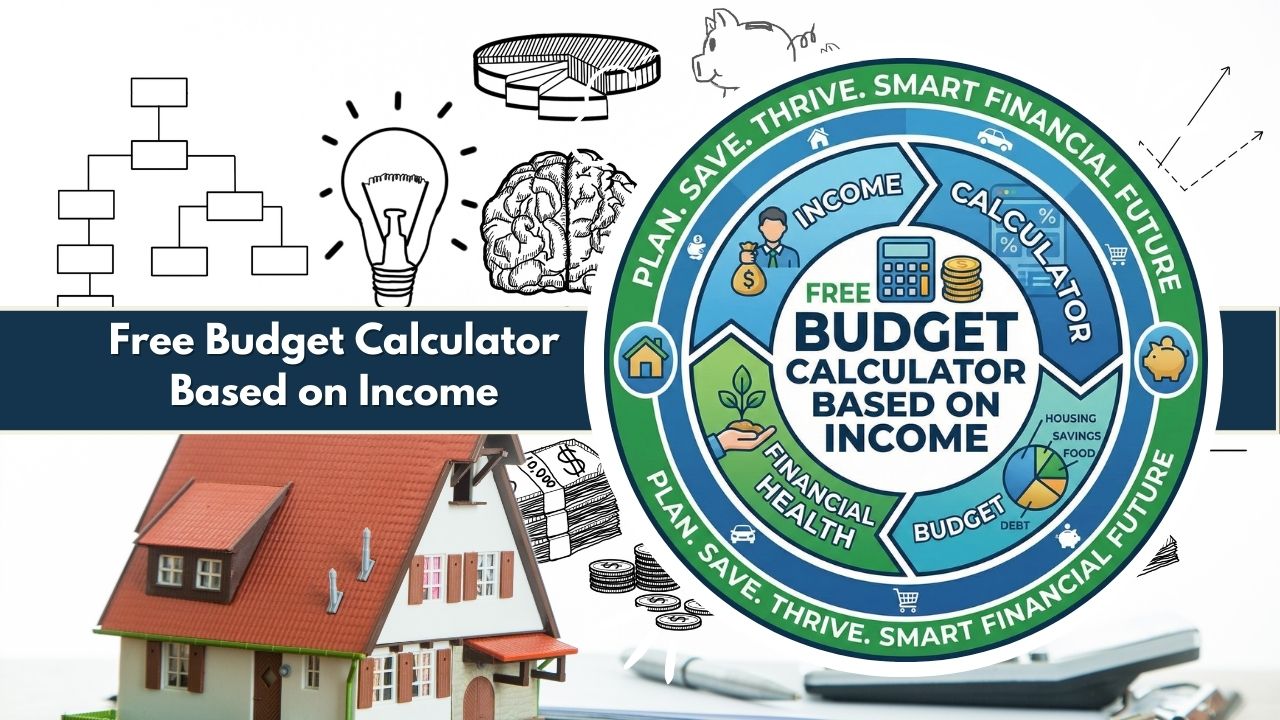
Optimize finances with our Free Budget Calculator Based on Income. Features 4 strategies, 0-100 Health Score, AI insights, Needs/Wants/Savings splits, 12-month forecasts & CSV/PDF export.
Free Budget Calculator Based on Income: Optimize your finances with AI-driven insights. Select a strategy and enter your details.
1. Income & Expenses
Budget Health Analysis
Strategy Alignment Balanced
Current Breakdown
12-Month Forecast
Tools & Export
Budgeting is often viewed as a restrictive chore, but at its core, it is simply a tool for clarity. For millions of individuals—whether students, young professionals, or heads of households—the challenge isn’t just tracking expenses, but understanding how those expenses align with their earnings. This is where a free budget calculator based on income becomes an indispensable asset.
Unlike generic templates that force every user into a rigid framework, a modern budget calculator by income adapts to your unique financial reality. It takes your specific monthly net income and applies proven ratios to tell you exactly how much you can afford to spend on housing, lifestyle, and debt repayment.
In 2026, static spreadsheets are no longer enough. You need a budgeting tool based on salary that offers dynamic feedback. Our advanced calculator goes beyond simple subtraction. It introduces a multi-strategy selector, a proprietary 0–100 Financial Health Score, and AI-driven smart insights that instantly analyze your spending patterns.
Whether you are living in a high cost-of-living city or saving aggressively for early retirement, this tool provides the personalized data you need to make informed decisions without the complexity of manual spreadsheets.
How the Budget Calculator Works
The Free Budget Calculator Based on Income operates on a sophisticated logic engine designed to simplify complex financial planning. While the interface is clean and user-friendly, the backend processes a multitude of variables to deliver accurate, actionable data.
At the heart of the tool is the Income-Based Budgeting Engine. Instead of asking you to guess arbitrary spending limits, the calculator anchors every recommendation to your monthly net income. Once you input your take-home pay, the tool immediately calculates the ideal distribution of funds across three primary buckets: Needs, Wants, and Savings.
However, one size rarely fits all. A defining feature of this monthly budget calculator is the Strategy Selector. Users can toggle between four distinct budgeting models—Balanced (50/30/20), Realistic (70/20/10), Simplicity (80/20), and Moderate (60/20/20)—to find the framework that best suits their life stage and location.
As you enter data, the calculator works in real-time. It doesn’t just sum up your totals; it runs a Health Score Algorithm. This feature compares your actual spending against your selected strategy’s targets, generating a score from 0 to 100. Simultaneously, the AI Smart Insights engine scans for anomalies—such as dangerous overspending in “Wants” or a savings rate that is falling behind—and displays context-aware alerts.
Visuals are powered by Chart.js, rendering an interactive Doughnut Chart for immediate breakdown visualization and a Line Chart for a 12-month savings forecast. Finally, because privacy is paramount, the tool is built on a Client-Side Privacy Model. This means all calculations happen directly in your browser. No data is sent to a server, ensuring your financial details remain 100% private and secure. You can then export your comprehensive plan via CSV or PDF.
Inputs Explained in Detail
To get the most out of this income budgeting calculator, it is helpful to understand the specific data points it analyzes. The tool is divided into logical sections to ensure no aspect of your finances is overlooked.
Strategy Selector
Before entering numbers, you define the “rules” of your budget. The tool offers four distinct strategies:
- Balanced (50/30/20): The gold standard for general budgeting. It allocates 50% of income to needs, 30% to wants, and 20% to savings.
- Realistic (70/20/10): Designed for users in high cost-of-living areas where housing and utilities naturally consume more income. It adjusts the “Needs” cap to 70%.
- Simplicity (80/20): A streamlined, savings-first approach. It combines needs and wants into one 80% bucket, leaving 20% strictly for savings. Ideal for those who dislike micro-managing categories.
- Moderate (60/20/20): A middle-ground approach that allows for slightly higher essential costs while maintaining a strong 20% savings rate.
Income (Monthly Net)
This is the foundation of the calculation. You must enter your Monthly Net Income. This is the amount of money hitting your bank account after taxes, insurance deductions, and retirement contributions have been removed from your paycheck. Using net income rather than gross income ensures your budget is based on spendable cash, preventing the common mistake of overestimating affordability.
Needs Inputs
These are your non-negotiables—the expenses required for basic survival and employment. The calculator includes specific fields for:
- Housing: Rent or mortgage payments.
- Utilities: Electricity, water, internet, and phone bills.
- Groceries: Essential food and household supplies (excluding dining out).
- Transport: Car payments, gas, insurance, or public transit passes.
- Insurance/Medical: Out-of-pocket healthcare costs and life insurance premiums.
Wants Inputs
Often called “discretionary spending,” this section tracks lifestyle choices.
- Dining Out: Restaurants, coffee shops, and takeout.
- Subscriptions: Streaming services, gym memberships, and software.
- Shopping: Clothing, electronics, and non-essential goods.
- Travel/Fun: Vacations, hobbies, and weekend entertainment.
- Note: If the “Simplicity (80/20)” strategy is selected, these inputs may be visually simplified or grouped.
Future/Savings Inputs
This is where you pay your future self.
- Debt Payoff: Payments toward credit cards, student loans, or personal loans (above the minimums).
- Emergency Fund: Contributions to a liquid savings account.
- Investments: Post-tax contributions to brokerage accounts, IRAs, or crypto assets.
Calculation Logic (Clear Examples)
Understanding the math behind the free budget calculator based on income helps users trust the results. The tool uses a comparative logic engine to evaluate financial health.
The Health Score Algorithm
The Health Score (0–100) is not random; it is a calculated weighted metric.
- Base Score: Starts at 100.
- Balance Penalty: If your Total Expenses > Income, the score drops significantly (e.g., -30 points).
- Savings Deviation: For every percentage point your savings rate is below the target (e.g., saving 5% when the target is 20%), the score is reduced.
- Spending Limit Penalty: If “Needs” exceed the strategy limit (e.g., 60% instead of 50%), points are deducted to reflect financial fragility.
Overspending Detection
If you select the 50/30/20 model with an income of $4,000, your “Needs” target is $2,000. If you enter housing and utility costs totaling $2,500, the calculator identifies a $500 variance. It flags this as a “Fixed Costs Warning,” alerting you that your essentials are consuming 62.5% of your income, well above the 50% safety zone.
Savings Growth Projection
The 12-month forecast uses a linear projection model. It takes your current monthly surplus (Income minus Expenses) plus your dedicated “Savings” contributions and projects the cumulative total over one year. If you are saving $500/month, the line chart will visualize a growth trajectory to $6,000 by month 12, reinforcing the power of consistency.
Visual Outputs & Insights
Data is useless if it isn’t readable. This tool uses advanced visualization techniques to turn numbers into instant understanding.
Gauge Chart (Health Score)
This visual indicator gives you a snap judgment of your budget.
- Green (80–100): Excellent. Your budget is sustainable and growth-oriented.
- Yellow (60–79): Stable. You are paying bills but may be saving too little or spending slightly too much on wants.
- Red (<60): Action Needed. You are likely spending more than you earn or neglecting savings entirely.
Doughnut Chart
The Doughnut Chart provides a color-coded breakdown of Needs vs. Wants vs. Savings. It allows you to visually compare your actual spending slices against the ideal “slices” of your chosen strategy. If the “Wants” slice is dominating the chart, you know immediately where to cut back.
12-Month Line Chart
This graph plots your financial trajectory. Seeing a line trend upward motivates users to stick to the plan. Conversely, a flat or negative line serves as a stark warning that the current budget will not lead to wealth accumulation.
Smart Insights Box
Below the charts, the AI Insights engine converts data into plain English sentences. Examples include:
- “Critical: You are overspending by $200 monthly.”
- “Wants High: Try cutting dining out to meet the 30% goal.”
- “Great Job: Your savings rate of 22% is above the recommended target.”
Real Case Example
Let’s look at how the Free Budget Calculator Based on Income processes a real-world scenario.
User Profile:
- Income: $5,200 (Monthly Net)
- Selected Strategy: Balanced (50/30/20)
User Inputs:
- Needs: $3,000 (Rent is high, totaling ~58% of income)
- Wants: $1,200 (Dining, subscriptions, and shopping ~23%)
- Savings: $400 (Debt payoff ~7%)
Calculator Output:
- Health Score:55/100 (Caution).
- Why? The user is technically spending less than they earn ($4,600 total spending vs $5,200 income), leaving a $600 surplus. However, the score is penalized heavily because Needs (58%) exceed the 50% limit, and Savings (7%) is drastically lower than the 20% target.
- Smart Insights:
- “Fixed Costs Warning: Your essentials are 58% of income. Aim closer to 50%.”
- “Savings Opportunity: You are short $640 of your savings goal.”
- 12-Month Forecast:
- The tool projects that if the user saves the $400 dedicated savings plus the $600 unspent surplus ($1,000/month total), they will have $12,000 in one year.
- Actionable Takeaway:
- The calculator visualizes that while the user isn’t in debt, their budget is “house poor.” To improve the Health Score to 80+, they don’t necessarily need to move, but they must redirect the unspent $600 surplus explicitly into the “Savings” bucket rather than leaving it as loose cash.
Factors That Influence Budget Health
When using a budgeting tool based on salary, several external factors can skew your results. Understanding these ensures you interpret the calculator’s output correctly.
Income Level vs. Cost of Living
The 50/30/20 rule is harder to follow on a lower income. If you earn $2,500 a month, rent alone might consume 60% of your pay. This is why the Strategy Selector is crucial. Switching to the “Realistic (70/20/10)” model avoids discouraging “Red” health scores for users who are simply dealing with high living costs.
Fixed vs. Variable Needs
Not all “Needs” are rigid. Rent is fixed, but groceries and electricity can fluctuate. A healthy budget recognizes that while you cannot easily change your rent tomorrow, you can optimize utility usage or grocery shopping habits to lower the “Needs” percentage.
Lifestyle Inflation
This occurs when your “Wants” increase proportionally with a raise. The calculator helps detect this. If your income jumps from $4,000 to $5,000, but your savings slice doesn’t grow, the Doughnut Chart will visually reveal that your “Wants” slice has expanded, signaling lifestyle creep.
Strategy Consistency
The calculator assumes consistency. If you save 20% one month and 0% the next, the 12-month forecast will be inaccurate. Budget health relies on the habit of treating savings as a non-negotiable bill, exactly as the calculator categorizes it in the “Future” input section.
Who Should Use This Calculator?
This Free Budget Calculator Based on Income is a versatile utility designed for a wide range of users:
- Salaried Employees: People with consistent paychecks who want to automate their savings allocations.
- Freelancers & Contractors: By entering an average monthly net income, freelancers can see baseline survival numbers (Needs) to survive lean months.
- Students & Recent Grads: Ideal for understanding affordability before signing a lease or taking on a car loan.
- Couples: It serves as a neutral third party. By inputting combined income, couples can see objective data on whether their spending aligns with their goals.
- Aggressive Savers: The “Simplicity (80/20)” model is perfect for FIRE (Financial Independence, Retire Early) adherents who want to maximize the gap between income and spending.
Free Budget Calculator Based on Income FAQs
Is the data I enter into the calculator saved?
Which budgeting strategy should I choose?
Does this calculator account for gross or net income?
What counts as a “Need” versus a “Want”?
Can I export my budget results?
Why is my Health Score low even if I have money left over?
Does the calculator include inflation in the 12-month forecast?
Is this tool suitable for irregular incomes?
Related Tools & Calculators:
- Budget Calculator California
- CRA Budget Calculator
- CIBC Budget Calculator
- CFSS Budget Calculator
- FNB Credit Card Budget Calculator
- ABSA Credit Card Budget Calculator
- Nedbank Credit Card Budget Calculator
- Credit Card Budget Calculator
- Car Loan Budget Calculator
- Deloitte Budget Calculator
- Debt Budget Calculator
- EPI Family Budget Calculator
- Apartment Budget Calculator
- Vacation Food Budget Calculator
- Road Trip Budget Calculator
- Japan Trip Budget Calculator