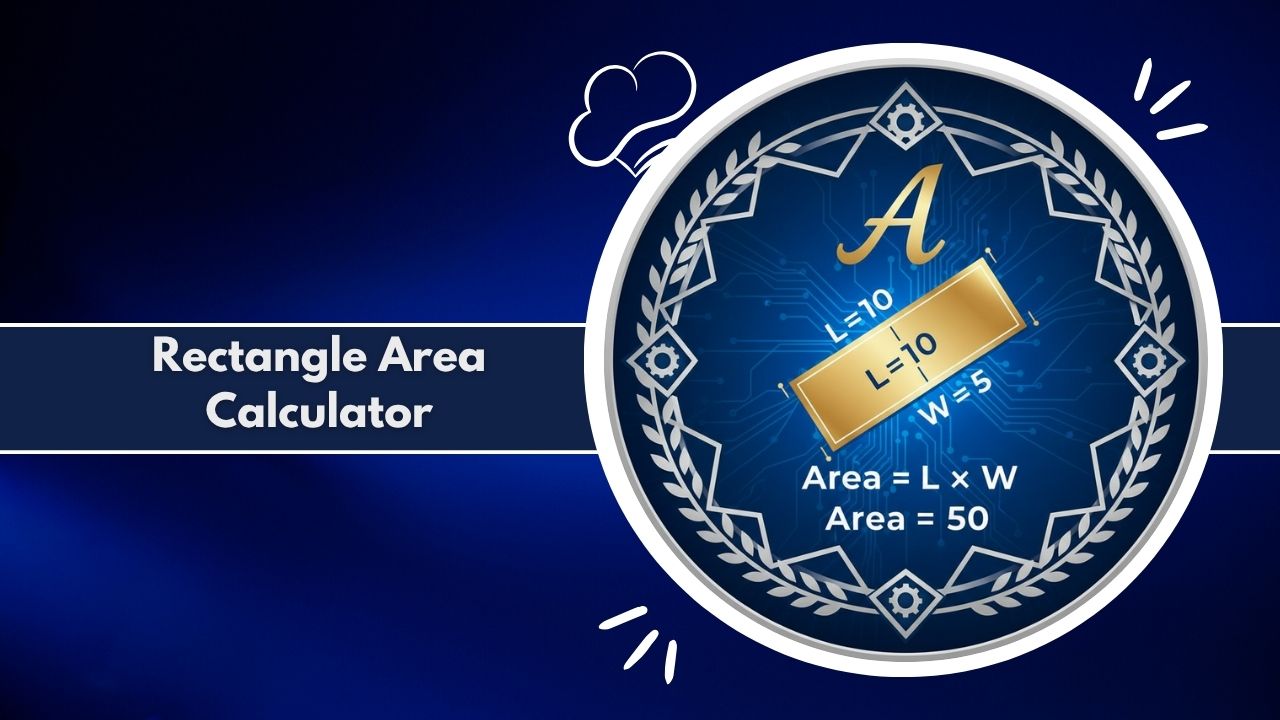
Use the free, online Rectangle Area Calculator to find precise area and perimeter instantly. Accurately measure any rectangular surface, simplifying geometry, construction, and design math. Calculate instantly.
Calculation Results
| Property | Value | Formula / Conversion |
|---|---|---|
| Length (Base) | — | L |
| Width (Base) | — | W |
| Area Conversions | ||
| Area (m²) | — | L × W |
| Area (cm²) | — | Area (m²) × 10,000 |
| Area (mm²) | — | Area (m²) × 1,000,000 |
| Area (ft²) | — | Area (m²) × 10.764 |
| Area (in²) | — | Area (m²) × 1550 |
| Perimeter & Diagonal | ||
| Perimeter (m) | — | 2(L + W) |
| Perimeter (ft) | — | Perimeter (m) × 3.281 |
| Diagonal (m) | — | √(L² + W²) |
| Diagonal (ft) | — | Diagonal (m) × 3.281 |
| Aspect Ratio | — | L:W |
The Rectangle Area Calculator is a precise digital tool designed for instant and accurate measurement. It simplifies finding the surface area of any rectangle, a fundamental task in geometry, design, and construction. This smart calculator goes beyond basic math. While its core function is to calculate area, this Rectangle Area Calculator also provides detailed measurement breakdowns, unit conversions, and even material estimations for real-world projects.
It’s an essential resource for students learning geometry, providing a practical way to understand area concepts. For professionals in architecture, engineering, and construction, this Rectangle Area Calculator is a reliable tool for quick verifications, planning, and material takeoffs. It handles all the complex unit conversions for you, whether you are working with a length in meters, a width in centimeters, or any combination of feet and inches.
This online Rectangle Area Calculator works instantly in your browser. There are no downloads or sign-ups required. It delivers the speed and precision needed for both academic math and professional project planning. Simply input your dimensions to get a fast, accurate, and comprehensive measurement from the best Rectangle Area Calculator available.
How It Works (Step-by-Step)
Using this Rectangle Area Calculator is straightforward, whether for a simple math problem or a complex project plan. The interface is clean and designed for efficiency, making it a superior geometry tool for quick measurement.
First, enter the ‘Length’ of your rectangle in the designated field. Next, select the correct unit of measurement from the dropdown menu (e.g., cm, m, ft, in). Second, enter the ‘Width’ of the rectangle and select its corresponding unit. The Rectangle Area Calculator can handle mixed units, such as a length in feet and a width in inches, and will convert them automatically for a correct area calculation.
For advanced users, such as tilers or landscapers, our Rectangle Area Calculator offers powerful features. You can input the dimensions of your material, like a single tile or paver. You can also set a ‘Waste Allowance’ percentage, a critical step for any real-world project to account for cuts and errors.
Once your data is entered, click the ‘Calculate’ button. The Rectangle Area Calculator instantly processes the information.
The results are displayed in a clean, multi-part format. You will see the primary Area, Perimeter, and Diagonal measurements in “kard” style outputs. Below this, a visual bar chart helps you compare the linear dimensions, and a detailed table breaks down all calculations. This table shows the area in multiple square units (m², cm², ft², etc.) and provides all the data for your material estimation. This step-by-step process turns a complex estimation task into a simple, two-second action with our Rectangle Area Calculator.
Why Use This Tool
While the formula for a rectangle’s area is simple, manual calculation leaves room for error, especially when dealing with unit conversions or large numbers. This Rectangle Area Calculator provides instant, accurate results every time, saving you time and preventing costly math mistakes.
It serves as a comprehensive measurement tool. It calculates not only the base area but also the perimeter and diagonal. This makes our Rectangle Area Calculator a versatile geometry tool for any shape, including rooms, walls, fields, and any other rectangular surface.
For professionals, the advanced features are a significant time-saver. The ability of this Rectangle Area Calculator to calculate the number of tiles or materials needed, including a waste-allowance, streamlines project estimation. This function is perfect for flooring installers, painters, and landscapers who need to provide an accurate quote for any surface.
This Rectangle Area Calculator is also a powerful educational aid for math and geometry. It helps students visualize the concepts of area and perimeter. They can see how changing a length or width affects the total area and how different units of measurement relate to one another.
Compared to manual calculation, this Rectangle Area Calculator is faster, more reliable, and far more versatile. It is free, works on any device, and provides a level of detail, including data charts and CSV downloads, that a simple handheld calculator cannot match.
The Ultimate Guide to Rectangle Measurement: Area, Geometry, and Practical Application
Understanding the area of a rectangle is a foundational concept in mathematics, but it is also one of the most practical skills used in our daily lives. From planning a room layout to calculating the cost of a construction project, accurate area measurement is essential. This guide explores the geometry of rectangles, the mathematics behind their measurement, and how to use a professional Rectangle Area Calculator to achieve precision in every project.
What is a Rectangle Area Calculator?
A Rectangle Area Calculator is a specialized digital tool designed to compute the surface area of any rectangle. Unlike a basic math calculator, a professional Rectangle Area Calculator integrates advanced features. It handles various units of measurement (like meters, feet, and inches), performs on-the-fly conversions, and calculates related geometry properties such as perimeter and diagonal.
Furthermore, this Rectangle Area Calculator is a powerful tool for project estimation. It can determine the number of tiles or pavers needed to cover a given surface, factoring in a user-defined waste allowance. This makes it an indispensable tool for students, teachers, engineers, architects, and anyone in the construction or design industry.
Understanding Area: The Foundation of Measurement
In geometry, “area” is the measure of the space enclosed within a two-dimensional shape. It quantifies the amount of surface a shape covers. For a rectangle, this is the space contained within its four sides. Area is always expressed in square units, such as square meters (m²), square centimeters (cm²), square feet (ft²), or square inches (in²).
Knowing the area is critical for countless real-world tasks. It tells you how much paint to buy for a wall, how much carpet to order for a room, or how much fertilizer is needed for a lawn. A precise area calculation from a reliable Rectangle Area Calculator is the first step in accurate project budgeting and planning.
The Geometry of a Rectangle: More Than Four Sides
A rectangle is a quadrilateral, or a four-sided polygon, defined by several key properties. Understanding these properties is key to understanding how a Rectangle Area Calculator works.
Defining Properties
A shape is a rectangle if it has:
- Four Sides: It is a quadrilateral.
- Four Right Angles: All four internal angles are exactly 90 degrees.
- Parallel Sides: Opposite sides are parallel to each other.
- Equal Opposite Sides: The length of opposite sides is equal.
These properties lead to the two primary measurements we use: Length (L) and Width (W).
The Core Formulas: Area, Perimeter, and Diagonal
Three formulas are essential for measuring a rectangle, all of which are computed by our Rectangle Area Calculator:
- Area (A): The most common measurement. The formula is a simple multiplication:
Area = Length × WidthOur Rectangle Area Calculator uses this fundamental formula for its core calculation. - Perimeter (P): This is the total distance around the outside of the rectangle. It is found by adding all four sides together:
Perimeter = 2 × (Length + Width)This is useful for calculating fencing needs or the length of baseboards for a room, a measurement our Rectangle Area Calculator provides instantly. - Diagonal (D): This is the straight-line distance from one corner to the opposite corner. Using the Pythagorean theorem, the formula is:
Diagonal = √(Length² + Width²)The diagonal is useful for ensuring a frame is “square,” a key check in construction that our Rectangle Area Calculator can help with.
How to Use the Rectangle Area Calculator for Any Project
This digital tool simplifies all these calculations, including complex ones for project planning. Here is a practical walkthrough of using this Rectangle Area Calculator.
Step 1: Input Dimensions and Units
Your first step is to measure the length and width of your rectangle. Input these values into the calculator. A key feature of this Rectangle Area Calculator is its intelligent unit handling. You can enter a length in ‘feet’ and a width in ‘inches’. The calculator’s logic automatically converts both inputs to a consistent base unit before performing any math, ensuring a correct result every time.
Step 2: Advanced Inputs (Tiles and Waste)
This is where our Rectangle Area Calculator becomes a powerful project tool.
- Material / Tile Size: If you are covering the area (e.g., flooring, tiling, paving), you can enter the length and width of a single material unit.
- Waste Allowance (%): This is a critical field for professionals. No project uses materials with 100% efficiency. You always need extra for cuts, corners, and mistakes. A standard waste allowance is 10-15%. By entering this percentage, the Rectangle Area Calculator provides a realistic total for material purchasing.
Step 3: Interpreting Your Results (The Chart & Table)
After clicking “Calculate,” the Rectangle Area Calculator provides a comprehensive results dashboard.
- Key “Kards”: The most important results (Area, Perimeter, Diagonal, and Total Tiles) are shown clearly at the top.
- Visual Chart: A bar chart provides a visual comparison of the linear dimensions (Length, Width, Perimeter, Diagonal) in meters, helping you understand the scale of your measurements.
- Detailed Table: This is the core of your data. The Rectangle Area Calculator provides a full breakdown of the area and perimeter in all major units (metric and imperial). It also shows the step-by-step logic for the tile calculation: the area of a single tile, the exact number of tiles needed (base), the number of extra tiles for waste, and the final “Total Tiles” you need to buy.
Real-World Applications of Rectangle Area Calculation
The concept of rectangle area is not just academic. It is used constantly in various industries, and a Rectangle Area Calculator is the tool of choice.
In Construction and Engineering
Engineers and architects use area calculations daily. They are needed to determine the wind load on a building’s face, the dead load of a floor, or the amount of concrete needed for a slab. An accurate Rectangle Area Calculator is a non-negotiable part of structural integrity and safety.
In Interior Design and Home Improvement
This is the most common application for a Rectangle Area Calculator.
- Flooring: Use the Rectangle Area Calculator to find the area of a room. Then, input your tile or wood plank dimensions to find out exactly how many boxes to buy, including waste.
- Painting: Calculating the surface area of a wall (or multiple walls) with the Rectangle Area Calculator tells you how many gallons of paint to purchase.
- Gardening/Landscaping: Find the area of a lawn to buy the right amount of sod or seed. Calculate the area of a garden bed to determine how much soil is needed. The Rectangle Area Calculator is perfect for all these tasks.
In Education and Academic Learning
For students, this Rectangle Area Calculator is a practical companion for geometry, algebra, and physics. It provides a way to check homework, visualize problems, and see the real-world application of mathematical formulas. This Rectangle Area Calculator bridges the gap between a textbook formula and a tangible, practical result.
Common Pitfalls in Manual Area Measurement
While A = L × W seems simple, manual calculations are prone to error. This is why a digital Rectangle Area Calculator is superior.
The Unit Conversion Trap
The single most common mistake is mixing units. Calculating an area using a length in feet and a width in inches will produce a meaningless number. You must first convert both measurements to the same unit. Our Rectangle Area Calculator does this for you automatically, eliminating the risk.
Forgetting Waste in Material-Estimating
A beginner might calculate a 100 sq ft room, find that their tiles are 1 sq ft each, and buy exactly 100 tiles. This is a costly mistake. The project will halt as soon as they need to make a single cut. Our Rectangle Area Calculator and its “Waste Allowance” feature are designed to prevent this exact error.
Why a Digital Rectangle Area Calculator is Superior
This tool is more than a simple calculator; it’s an advanced measurement and estimation engine.
Unmatched Accuracy and Speed
The Rectangle Area Calculator performs complex conversions and formulas instantly. There is no “double-checking” the math. The results are immediate and reliable, powered by clean, tested code.
Data Visualization and Export
A professional needs a record. This Rectangle Area Calculator provides a detailed breakdown table that can be instantly exported as a CSV file. This “Download CSV” feature allows you to save your calculations, import them into a spreadsheet, or include them in a project budget or client invoice. The “Share Results” button copies all key data to your clipboard for easy pasting into an email or report.
The Future of Measurement: Smart Geometry Tools
As our world becomes more data-driven, the tools we use must keep up. A simple calculator is no longer enough. This Rectangle Area Calculator represents the next step: a smart, feature-rich tool that not only answers a simple math question but also solves a complex, practical problem. It is an educator for the student, a time-saver for the homeowner, and an essential assistant for the professional. Using a dedicated Rectangle Area Calculator is the standard for anyone who needs fast, reliable, and detailed geometry measurements.
Technical Details
This Rectangle Area Calculator functions as a sophisticated client-side application, ensuring speed and privacy. It operates entirely within your web browser using JavaScript, meaning none of your data is ever sent to a server.
The calculation logic of the Rectangle Area Calculator is robust. When you input values like length and width, the tool also registers your selected units (e.g., cm, m, ft, in). The core logic first converts all inputs into a consistent base unit (meters) using standard conversion factors. This normalization prevents common errors from mixed-unit calculations.
Once all inputs are in meters, the Rectangle Area Calculator applies standard geometry formulas:
Area = Length × WidthPerimeter = 2 × (Length + Width)Diagonal = √(Length² + Width²)
For advanced calculations, such as tile estimation, the logic is more complex. The Rectangle Area Calculator calculates the area of a single tile (after converting its units to meters). It then divides the total rectangle area by the tile area and uses a Math.ceil() function to round up to the nearest whole tile. The waste calculation applies the user’s percentage to this base tile count, again rounding up to ensure a practical, purchasable number.
The results are then re-converted from the base meter unit into all other standard units (cm², ft², etc.) for display in the results table. The chart is rendered using the popular Chart.js library to provide a clean, responsive data visualization from our Rectangle Area Calculator.
FAQs
What is a rectangle area calculator?
How do I calculate the area of a rectangle?
Area = Length × Width. You must measure the length and width and then multiply them together. Ensure both measurements are in the same unit (e.g., both in feet) before you multiply. A Rectangle Area Calculator can do this for you.What if my length and width are in different units?
How does this calculator find the number of tiles?
Why do I need to add a “waste allowance”?
Can this tool calculate the area of a square?
What is the perimeter? What is the diagonal?
Does this tool store my data?
Related Tools & Calculators: