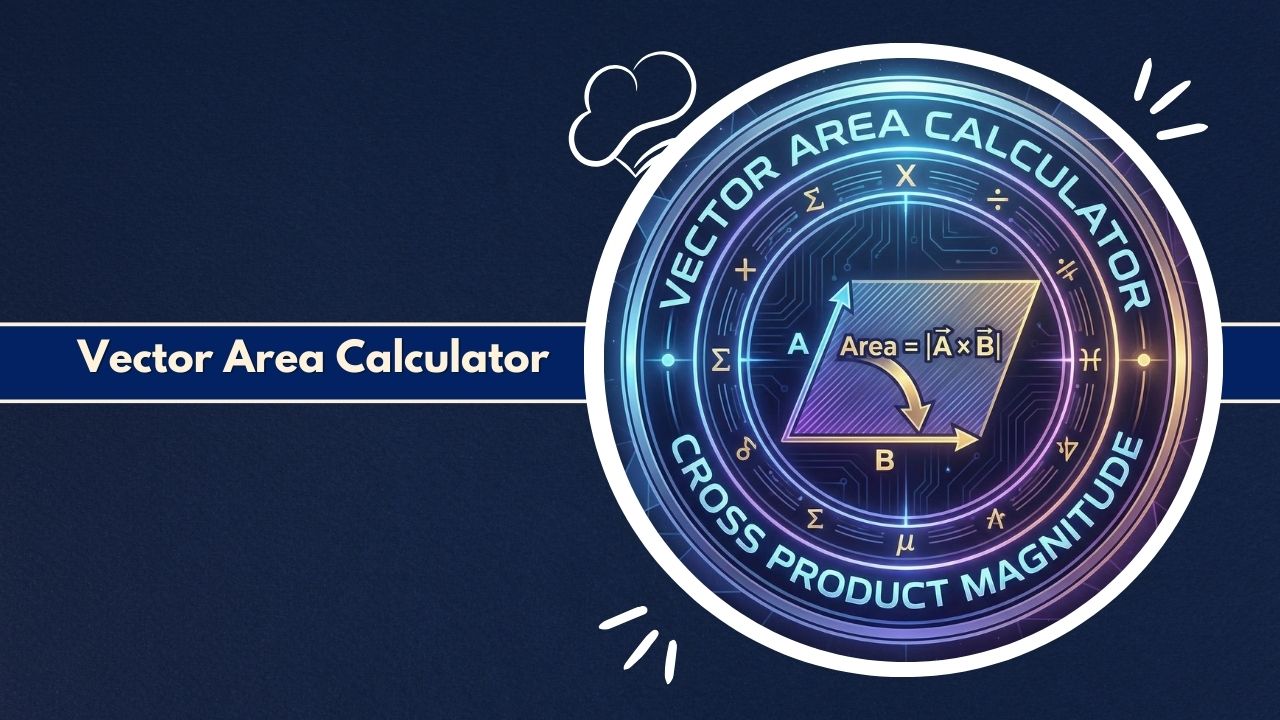
Use the Vector Area Calculator to compute the magnitude and direction of 3D surfaces. Instantly solve cross products, determine normal vectors, and analyze oriented areas for physics and engineering.
Define Vectors
Calculation Breakdown
Vector Component Visualization
Comparison of X, Y, Z components for Input Vectors and the Resultant Cross Product.
Introduction to the Vector Area Calculator
In the realm of multi-dimensional calculus and physics, the concept of area extends far beyond simple length times width. While standard geometry deals with scalar quantities—magnitude without direction—vector geometry introduces a more complex and information-rich property known as “vector area.”
The Vector Area Calculator is a specialized digital tool designed to bridge the gap between abstract algebraic theory and practical numerical application. It allows students, engineers, and physicists to input three-dimensional coordinates and instantaneously derive the vector area of the parallelogram or triangle defined by those vectors.
Unlike a standard area finder that might measure a plot of land or a floor plan, the Vector Area Calculator operates in 3D Cartesian space (x, y, z). It fundamentally relies on the cross product of two vectors to generate a new vector that represents both the magnitude of the area and the orientation of the surface in space. This distinction is critical in fields like electromagnetism, fluid dynamics, and structural mechanics, where the direction a surface faces is just as important as its size.
Why Vector Area Matters in Mathematics and Physics
The concept of vector area is foundational to understanding how fields interact with surfaces. In physics, particularly in the study of electricity and magnetism, the “flux” of a field through a surface depends heavily on the surface’s orientation relative to the field lines. A scalar area value (50 m^2) tells you how much paint you need to cover a surface, but it does not tell you how much wind, water, or magnetic field flows through it.
The Vector Area Calculator provides the necessary directional component. By defining an area as a vector perpendicular (normal) to the surface, mathematicians can use dot products to calculate flux. If the surface vector is parallel to the field flow, flux is maximized; if perpendicular, flux is zero. This tool automates the complex cross-product operations required to determine that specific vector orientation, ensuring accurate flux integral calculations in Maxwell’s equations and fluid flow analysis.
How Vector Area Differs from Scalar Area
The primary difference lies in the output. A scalar area calculation results in a single positive number (e.g., 15.5). A calculation performed by a Vector Area Calculator results in a vector with three components: Area = Ax * i + Ay * j + Az * k.
- Scalar Area: Represents only the size or magnitude of the two-dimensional shape.
- Vector Area: Represents the size (magnitude of the vector) and the direction (the normal vector pointing perpendicular to the surface).
The magnitude of the result from the Vector Area Calculator is exactly equal to the scalar area of the parallelogram formed by the input vectors. However, the i, j, k components provide the spatial orientation, which is essential for determining the “normal” or “facing” direction of the plane.
What the Vector Area Calculator Is
The Vector Area Calculator is a computational utility built to process three-dimensional vectors to determine geometric properties of the plane they define. It is not a drawing tool or a CAD program but an algebraic solver. Users provide the Cartesian coordinates of two vectors originating from a common point, and the calculator applies the principles of linear algebra to compute the cross product.
Core Purpose of the Vector Area Calculator
The core purpose of the Vector Area Calculator is to eliminate the manual labor and potential for error involved in calculating cross products and vector magnitudes. In a manual calculation, finding the determinant of a 3×3 matrix or applying the component-wise cross-product formula is tedious and prone to sign errors (confusing positive and negative components). This tool standardizes the process, ensuring that whether you are working with unit vectors or large-scale engineering forces, the resulting vector area is mathematically precise.
How the Calculator Handles 3D Vector Geometry
The calculator visualizes space using the standard right-handed coordinate system. When you input Vector A and Vector B into the Vector Area Calculator, it treats them as directed line segments starting from the origin (0,0,0) or a shared vertex. It then computes the orthogonal vector produced by the cross product A x B.
This resulting vector has a length equal to the area of the parallelogram spanned by A and B, and a direction perpendicular to the plane containing A and B. This handling of 3D geometry allows the Vector Area Calculator to serve as a bridge between raw coordinate data and meaningful geometric interpretation, such as finding the unit normal vector for a plane equation.
What the Vector Area Calculator Does
At a functional level, the Vector Area Calculator performs a sequence of algebraic operations that would otherwise require several minutes of manual work. It parses input coordinates, validates the numeric data, and executes the cross-product algorithm.
Computes Magnitude and Direction of Area Vectors
The most direct output of the Vector Area Calculator is the area vector itself. This vector contains three scalar components (x, y, z) which define the direction of the surface normal. Simultaneously, the tool calculates the Euclidean norm (magnitude) of this vector. This magnitude is the scalar area of the parallelogram. For users interested in the triangle defined by the two vectors (essentially half of the parallelogram), the Vector Area Calculator typically provides this value as well by simply dividing the magnitude by two.
Supports Cross-Product and Normal Vector Calculations
Beyond just “area,” the Vector Area Calculator effectively functions as a cross-product solver. Since the vector area is defined as S = A x B, the tool is indispensable for any task requiring the cross product, such as calculating torque (r x F) or angular momentum (r x p). Furthermore, by normalizing the resulting vector area (dividing the vector by its own magnitude), the calculator can derive the Unit Normal Vector (n), a vector of length 1 that points purely in the direction of the surface normal.
Key Features of the Vector Area Calculator
Modern tools for vector analysis are designed with specific features to accommodate the rigorous demands of STEM fields. The Vector Area Calculator includes several distinct capabilities that make it superior to general scientific calculators for this specific task.
Input Options for 3D Coordinates and Vectors
The interface of the Vector Area Calculator is specifically built for 3D input. It provides dedicated fields for the x, y, and z components of two separate vectors. This structure prevents confusion between the two vectors and ensures that all three spatial dimensions are accounted for. Some advanced versions of a Vector Area Calculator may also allow users to define vectors using two points (Head and Tail points) rather than just the terminal point components, calculating the vector components automatically before processing the area.
Advanced Vector-Based Calculation Capabilities
While the primary function is area, a robust Vector Area Calculator often computes secondary values derived from the inputs. These can include:
- Unit Normal Vector: The direction-only vector.
- Dot Product: Sometimes displayed for comparison to show orthogonality.
- Triangle Area: The area of the triangle with vertices at the origin, tip of A, and tip of B.
- Angle Between Vectors: Derived using the magnitude of the cross product and the dot product.
User-Friendly Interface for Technical Computations
Despite the complexity of the underlying math, the Vector Area Calculator presents a clean, accessible interface. Results are typically displayed in both component form (C = 3i + 4j – 2k) and bracket notation (< 3, 4, -2 >). This dual-display format caters to different notational preferences found in engineering textbooks versus physics research papers. The tool often updates in real-time or via a single “Calculate” button, providing instant feedback which is essential for iterative design processes.
Mathematical Formulas Used in the Vector Area Calculator
The reliability of the Vector Area Calculator stems from its strict adherence to the fundamental theorems of vector algebra. There is no estimation involved; the results are exact arithmetic consequences of the inputs based on specific formulas.
Cross Product Formula for Vector Area
The primary formula driving the Vector Area Calculator is the cross product of two vectors A = < ax, ay, az > and B = < bx, by, bz >. The vector area S is given by the determinant of a matrix with unit vectors i, j, k in the first row:
S = A x B = (ay * bz – az * by)i – (ax * bz – az * bx)j + (ax * by – ay * bx)k
Broken down into components for the Vector Area Calculator:
- Sx = ay * bz – az * by
- Sy = az * bx – ax * bz
- Sz = ax * by – ay * bx
Oriented Surface Area and Normal Vector Computations
Once the vector components (Sx, Sy, Sz) are found, the Vector Area Calculator computes the scalar magnitude (|S|) to find the actual area of the parallelogram:
|S| = sqrt( Sx^2 + Sy^2 + Sz^2 )
For the unit normal vector n, which represents the direction the surface is facing, the calculator performs the following division:
n = S / |S| = < Sx / |S|, Sy / |S|, Sz / |S| >
This formula is valid only if the magnitude is non-zero (i.e., the vectors are not parallel).
Parameters Required for Vector Area Calculations
To function correctly, the Vector Area Calculator requires exactly six numerical parameters:
- Ax: X-component of Vector A.
- Ay: Y-component of Vector A.
- Az: Z-component of Vector A.
- Bx: X-component of Vector B.
- By: Y-component of Vector B.
- Bz: Z-component of Vector B.
Variables and 3D Geometric Considerations Explained
The variables represent displacements along the principal axes. A positive Az means Vector A points upwards in the Z-direction. The Vector Area Calculator uses these signs to determine the “handedness” of the resulting area vector. If you swap Vector A and Vector B in the inputs, the Vector Area Calculator will produce a vector of the same magnitude but pointing in the exact opposite direction (anti-parallel), reflecting the non-commutative nature of the cross product (A x B = – (B x A)).
How to Use the Vector Area Calculator Step-by-Step
Using a Vector Area Calculator is straightforward, provided you have your coordinate data ready. The tool abstracts the matrix algebra, leaving the user to focus on defining the problem correctly.
Required Vector Inputs and Coordinate Points
Before using the Vector Area Calculator, ensure your vectors share a common tail (start point). If you have three points in space (P, Q, R), you must first calculate the vectors connecting them (e.g., Vector A = Q – P, Vector B = R – P). Enter the resulting components into the tool. Do not enter the raw coordinates of the points directly unless the calculator explicitly asks for “Point coordinates” rather than “Vector components.”
Step-by-Step Calculation Workflow
- Identify Vectors: Determine the x, y, z components for your first vector (A) and second vector (B).
- Input Vector A: Enter values into the corresponding x, y, z fields of the Vector Area Calculator.
- Input Vector B: Enter values into the second set of fields.
- Check Units: Ensure both vectors are in the same unit system (e.g., meters), as the calculator assumes consistent units.
- Calculate: Click the “Calculate” or “Solve” button.
- Read Results: Observe the Vector Area components (S) for direction and the Magnitude (|S|) for the scalar area.
Expert Tips for Accurate Vector Area Results
For the most precise results from the Vector Area Calculator, always keep maximum precision in your input values. Rounding your input coordinates (e.g., using 3.33 instead of 10/3) can lead to significant drift in the resulting vector direction. Additionally, be mindful of the “Right Hand Rule.” The Vector Area Calculator assumes a standard counter-clockwise orientation. If you need the normal vector to point in the opposite direction, simply swap the input values of Vector A and Vector B.
Vector Area Calculator Example Calculation
To fully understand the utility of the Vector Area Calculator, let us walk through a concrete example using specific 3D coordinates.
Sample Input: Two Vectors in 3D Space
Let us define two vectors originating from the origin:
- Vector A: < 3, 4, 0 > (A vector lying in the XY plane)
- Vector B: < -2, 5, 1 > (A vector pointing slightly upwards and backwards)
We want to find the vector area of the parallelogram defined by these two arrows.
Detailed Cross Product Computation
When these values are entered into the Vector Area Calculator, it performs the cross product C = A x B:
- Cx Calculation: (4 * 1) – (0 * 5) = 4 – 0 = 4
- Cy Calculation: (0 * -2) – (3 * 1) = 0 – 3 = -3
- Cz Calculation: (3 * 5) – (4 * -2) = 15 – (-8) = 15 + 8 = 23
The Vector Area Calculator displays the resulting Vector Area as C = < 4, -3, 23 >.
Final Interpretation of Magnitude and Direction
Next, the Vector Area Calculator computes the magnitude (Scalar Area): |C| = sqrt( 4^2 + (-3)^2 + 23^2 ) |C| = sqrt( 16 + 9 + 529 ) = sqrt( 554 ) approx 23.537
Results:
- Vector Area: < 4, -3, 23 >
- Parallelogram Area: 23.537 square units.
- Triangle Area: 11.769 square units (half of the parallelogram).
The calculator effectively tells us that the surface area is roughly 23.5 units, and the surface faces heavily in the positive Z direction (upwards), with a slight tilt in positive X and negative Y.
Practical Applications of the Vector Area Calculator
The Vector Area Calculator is not just a theoretical math utility; it is a workhorse in various applied sciences.
Physics: Flux Through a Surface
In electromagnetism, calculating magnetic flux (Phi) requires the integral of the magnetic field (B) dotted with the differential area vector (dA). For flat surfaces in uniform fields, this simplifies to Flux = B . A. The Vector Area Calculator is used to determine the vector A accurately so that this dot product can be computed. Without the correct vector representation of the area, determining the angle between the field and the surface normal is impossible.
Engineering: Structural and Force Direction Analysis
Mechanical engineers often deal with pressure acting on surfaces. Pressure is a scalar, but the resulting force is a vector acting normal to the surface (F = P * A). To find the direction of this force on a tilted structural plate, engineers use a Vector Area Calculator to find the normal vector of the plate geometry. This vector indicates exactly which direction the pressure force will push, allowing for accurate stress analysis on the supporting beams.
Electromagnetism and Field Calculations
Beyond flux, the vector area is used in the Poynting vector calculations and wave propagation studies. When analyzing how electromagnetic waves reflect off surfaces, knowing the precise orientation of the boundary is crucial. The Vector Area Calculator allows researchers to quickly model different boundary orientations by simply adjusting vector inputs, facilitating rapid simulation of wave reflection and refraction angles.
Computer Graphics and 3D Modeling
In the world of 3D rendering (CGI), every object is made of triangular meshes. To calculate lighting (shading), the computer needs to know which way a triangle faces. This is the “surface normal.” A Vector Area Calculator essentially mimics the “face normal” calculation that graphics engines (like OpenGL or DirectX) perform millions of times per second. Technical artists and graphics programmers use these calculators to debug rendering artifacts where polygons might be “facing” the wrong way (back-face culling issues).
Advantages of Using a Vector Area Calculator
The shift from manual calculation to digital tools offers significant benefits, primarily centered on efficiency and reliability.
Eliminates Complex Manual Vector Computations
The cross-product formula involves six distinct multiplication operations and three subtraction operations, plus careful tracking of indices (x, y, z). It is incredibly easy for a human to accidentally swap ay and az or drop a negative sign. The Vector Area Calculator is hard-coded with the correct algorithm, completely eliminating arithmetic errors and algebraic slips.
Minimizes Error in 3D Mathematical Operations
In 3D space, intuition often fails. It is difficult to visualize exactly where the cross product of two skew vectors will point. A Vector Area Calculator provides an objective, mathematically rigorous answer that does not rely on spatial visualization skills. This reduces conceptual errors where a student or engineer might guess the direction incorrectly based on a flawed mental image.
Provides Consistent, Professional-Level Accuracy
Whether you are a student solving homework or a professional engineer checking a CAD model, consistency is key. The Vector Area Calculator provides results to a high degree of decimal precision (often floating-point standard). This ensures that rounding errors do not accumulate when the area vector is used in subsequent calculations, such as determining total surface flux over a complex polyhedron.
Common Mistakes When Using a Vector Area Calculator
Even with a powerful tool, user error can lead to incorrect results. Awareness of these pitfalls is essential.
Incorrect Vector Inputs or Coordinate Ordering
The most common error is entering the coordinates of points instead of vectors. If a triangle has vertices A, B, C, entering the coordinates of A and B into the Vector Area Calculator is incorrect. You must calculate the vector AB (B – A) and vector AC (C – A) first. Another error is swapping the order of vectors (B x A instead of A x B), which flips the direction of the resultant area vector, potentially leading to negative flux calculations where positive was expected.
Mixing Coordinate Systems or Unit Systems
The Vector Area Calculator assumes a Cartesian coordinate system. If a user inputs vectors defined in Cylindrical (r, theta, z) or Spherical (r, theta, phi) coordinates without converting them to Cartesian (x, y, z) first, the result will be meaningless. Similarly, mixing units (e.g., Vector A in meters, Vector B in centimeters) will result in an area magnitude that is off by a factor of 100.
Misinterpreting Vector Direction vs. Magnitude
Users sometimes confuse the magnitude (the scalar area) with the vector components. It is crucial to read the output of the Vector Area Calculator correctly. If you need the size of the area, look for the magnitude/norm. If you need the orientation for a physics problem, look for the unit normal or the vector components. Confusing these two distinct outputs is a frequent source of error in physics exams and engineering reports.
Limitations of a Vector Area Calculator
While powerful, the Vector Area Calculator is bounded by mathematical definitions.
Assumes Perfectly Defined Vector Inputs
The tool assumes the inputs are precise and represent straight vectors in flat Euclidean space. It cannot handle curved vectors or non-linear tensor fields directly. It calculates the area of the planar parallelogram defined by the tangents at the origin. For curved surfaces, one would need to use calculus (surface integrals) rather than a simple Vector Area Calculator.
Cannot Detect Invalid or Physically Impossible Geometry
If you input two parallel vectors (e.g., < 1, 1, 1 > and < 2, 2, 2 >), the Vector Area Calculator will correctly output a zero vector area (< 0, 0, 0 >) because the vectors do not span a surface; they lie on a single line. While mathematically correct, a user might interpret this as a software error if they do not understand that collinear vectors produce zero area.
Accuracy Factors for Vector Area Calculations
The precision of the Vector Area Calculator depends on several technical factors.
Precision of Input Coordinates
Garbage in, garbage out. If the input vectors are rounded to one decimal place (e.g., 3.3), the output vector area will have limited precision. For high-sensitivity applications like orbital mechanics or optical alignment, inputs should be provided with as many significant figures as possible to ensure the Vector Area Calculator returns a valid result.
Vector Magnitude Variations
When dealing with extremely small vectors (micro-scale) or extremely large vectors (astronomical scale), floating-point arithmetic limitations in digital computers can occasionally introduce tiny rounding errors. However, a high-quality Vector Area Calculator typically uses double-precision floating-point math to minimize this issue, making it negligible for almost all practical purposes.
Differences in Calculation Methods and Algorithms
While the cross product is standard, some calculators might offer “normalized” results while others offer raw results. It is important to check if the Vector Area Calculator you are using automatically normalizes the output (makes length = 1) or provides the full magnitude vector. Most standard tools provide the full vector to preserve area information.
Industry Standards Related to Vector Area Measurement
In professional settings, vector area calculations must adhere to specific conventions.
Scientific Standards in Physics and Engineering
The SI (International System of Units) is the standard for inputting data into a Vector Area Calculator. Vectors representing distance should be in meters, resulting in an area in square meters (m^2). In electrodynamics, the “Right-Hand Rule” is the universal standard for defining the direction of the area vector. The Vector Area Calculator is invariably programmed to follow this rule: curl fingers from Vector A to Vector B, and the thumb points to the resultant vector area.
Computational Modeling and Simulation Guidelines
In Finite Element Analysis (FEA) and Computational Fluid Dynamics (CFD), mesh quality is judged by element area and aspect ratio. A Vector Area Calculator is often embedded in these software suites to check for “degenerate elements” (elements with near-zero area). Engineers adhering to ISO simulation standards use these calculations to verify that their mesh geometry is sufficient for accurate simulation results.
Troubleshooting Issues in Vector Area Calculations
If the Vector Area Calculator gives an unexpected result, follow these troubleshooting steps.
Fixing Unexpected Vector Magnitude Outputs
If the area seems too small or too large, check your vector scaling. Did you input dimensions in millimeters when you meant meters? Remember that area scales with the square of length. If you scale inputs by 10, the area from the Vector Area Calculator scales by 100.
Identifying Missing or Wrong Vector Components
If the resulting vector points along an axis unexpectedly (e.g., only has a Z-component), check if your input vectors lie entirely in the XY plane. If both input vectors have z=0, the Vector Area Calculator will mathematically force the result to be purely in the Z direction (k or -k). This is a feature, not a bug, representing the orthogonality of the cross product.
Resolving Unit Mismatch and Input Errors
Double-check signs. A negative coordinate (-5) dramatically changes the direction of the result compared to a positive one (5). If the Vector Area Calculator output points “in” instead of “out,” you likely swapped the input order of vectors A and B. Swap them back to reverse the direction of the normal vector.
Frequently Asked Questions About the Vector Area Calculator
What is a Vector Area Calculator?
How is vector area different from regular area?
Can the Vector Area Calculator find the area of a triangle?
What units does the Vector Area Calculator use?
Why is the result a vector and not a number?
What happens if I input parallel vectors?
Does the order of inputs matter?
How do I use this for 3 points in space?
Can I use this for 2D vectors?
What is the “Normal Vector”?
Is the output valid for curved surfaces?
Why is “Right-Hand Rule” important?
What formula does the calculator uses?
Can I use this for torque calculations?
Is the calculated area always positive?
Related Tools & Calculators: